# Create a new Curator (Market Configurator)
The **Market Configurator** serves as the central administration contract for a lending business.
It acts as the root permission node. From this single point of control, Curators deploy new markets, adjust risk parameters, and manage fee distribution. This contract must be deployed once per blockchain network.
## Prerequisites
{% hint style="success" %}
## Separation of Drafting vs. Signing
The Gearbox Curation Interface is a **drafting tool**, not a signing terminal.
* **Drafting:** You may connect **any** standard wallet (e.g., a hot wallet) to the Gearbox UI to configure parameters and generate transaction files.
* **Signing:** The actual execution happens securely within the Gearbox Safe interface ()
* **Benefit:** Operations teams can draft complex updates without requiring the Admin/Signers to connect their high-security wallets to the web interface.
{% endhint %}
{% hint style="warning" %}
## Recommendation for MPC Users (Fordefi, Fireblocks, etc.)
Institutional MPC wallets often lack direct support for batch transaction builders.
* **Recommendation:** Deploy a **1/1 Safe Multisig** with your MPC address as the sole signer.
* **Why:** This acts as a compatibility layer, allowing you to utilize the Gearbox Safe interface and transaction batching flow while retaining the custody security of your MPC provider.
{% endhint %}
## Deployment walkthrough
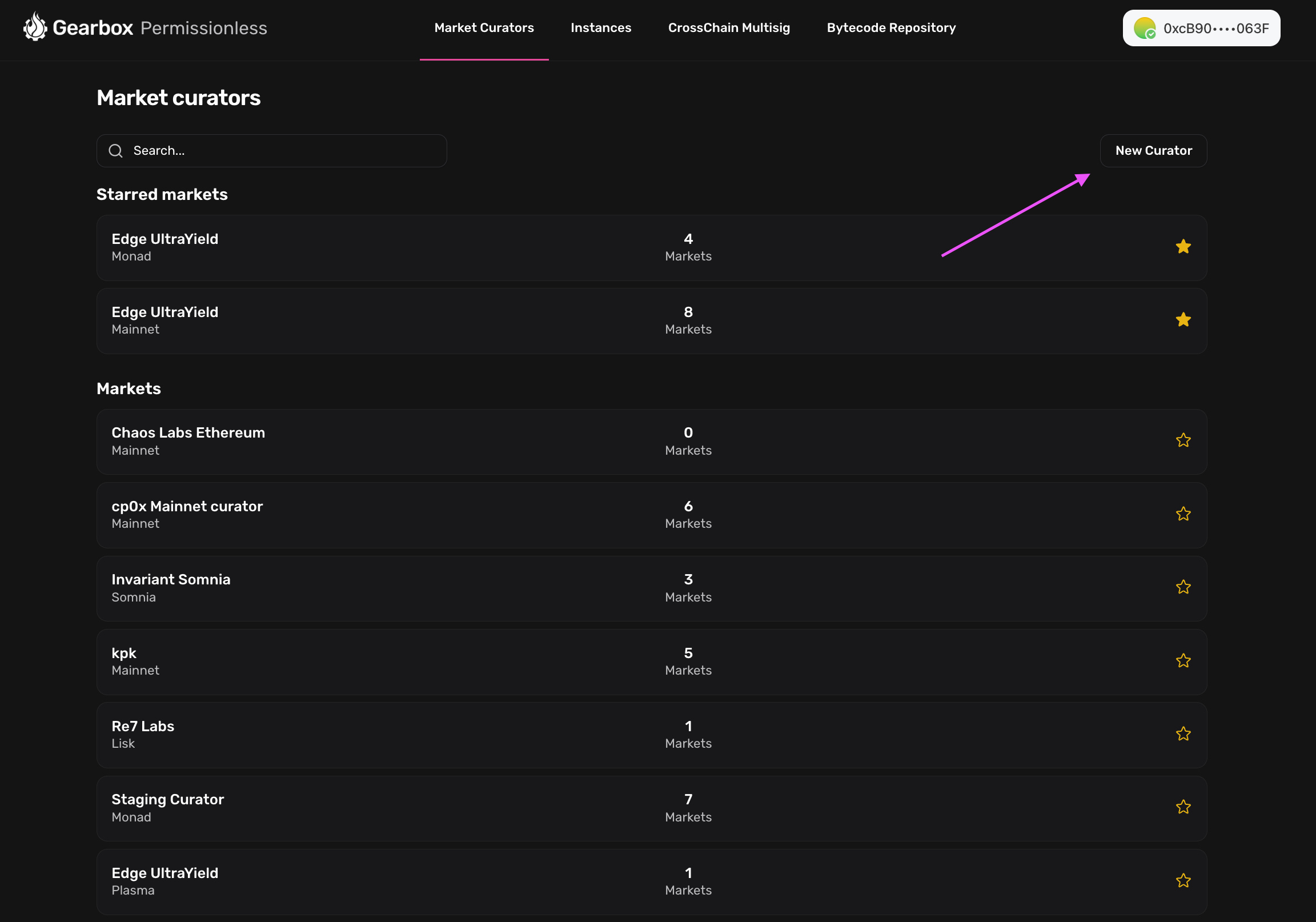
**Access the Interface:** [https://permissionless.gearbox.foundation/curators](https://www.google.com/url?sa=E\&q=https%3A%2F%2Fpermissionless.gearbox.foundation%2Fcurators)
{% embed url="" %}
{% stepper %}
{% step %}
## Define Governance Roles
* **Admin Address:**
* *Function:* Primary governance. Can modify all parameters subject to a **24-hour timelock**.
* *Recommendation:* Main Safe Multisig (or 1/1 Safe for MPC users).
* **Emergency Admin:**
* *Function:* Crisis response. Can disable specific tokens and perform limited list of emergency actions instantly (bypassing timelock).
* *Recommendation:* A separate Security Multisig or secure Hardware Wallet.
* **Fee Collector:**
* *Function:* Revenue destination. Receives all accrued interest and liquidation fees.
* **Transaction Format:**
* Select **SAFE** to generate a compatible JSON file.
UI walkthrough
{% endstep %}
{% step %}
#### Execute transactions in Safe UI
The interface generates a JSON file containing the deployment bytecode.
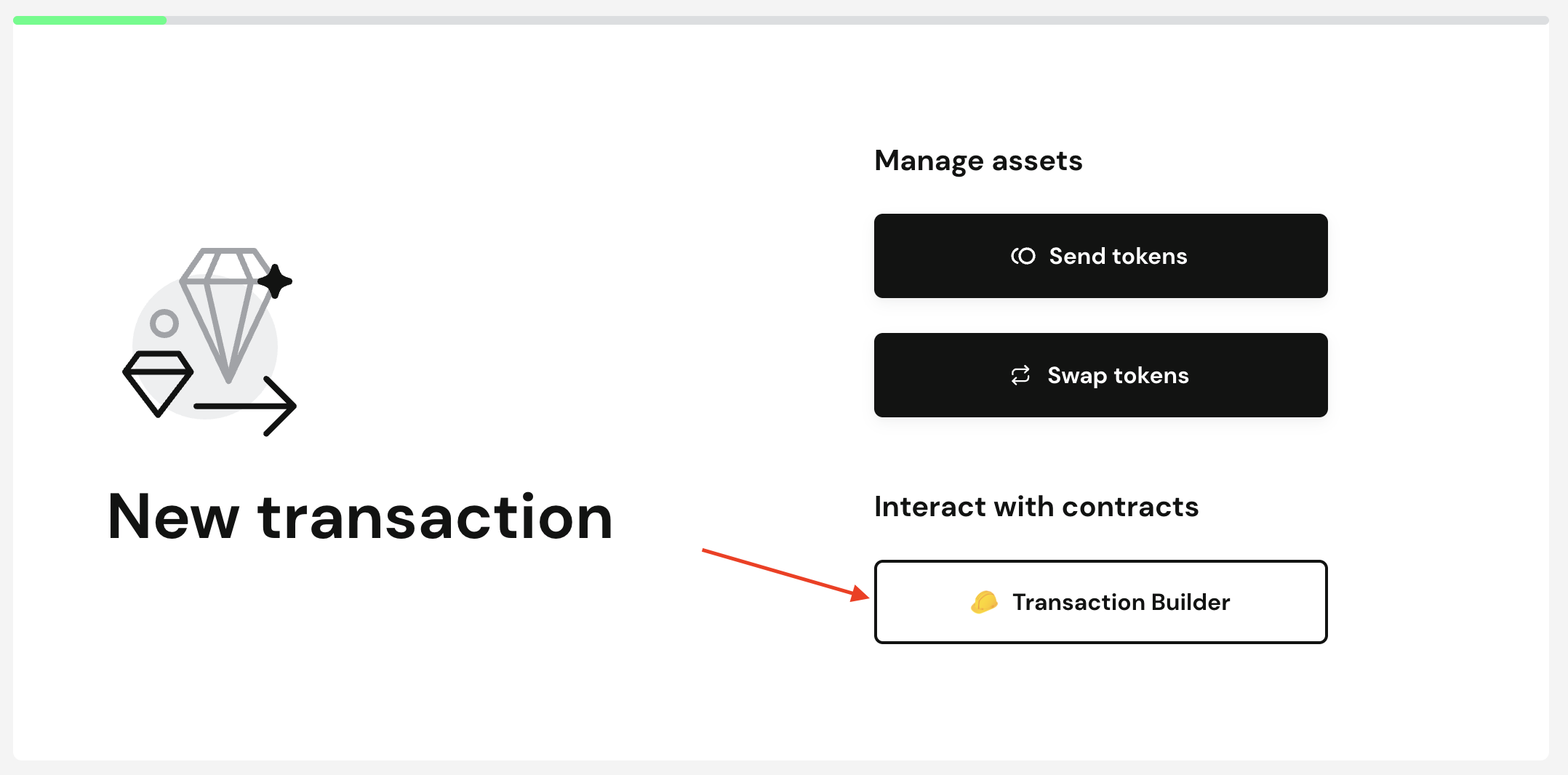
1. Navigate to the **Safe App** (using the Admin wallet defined in Step 1).
2. Open the **Transaction Builder** application.
3. Upload the generated JSON file.
4. Review the transaction details and execute.
UI walkthrough
{% endstep %}
{% step %}
#### Sync Permissionless Interface
Once the transaction is confirmed onchain, the Gearbox interface must index the new Configurator.
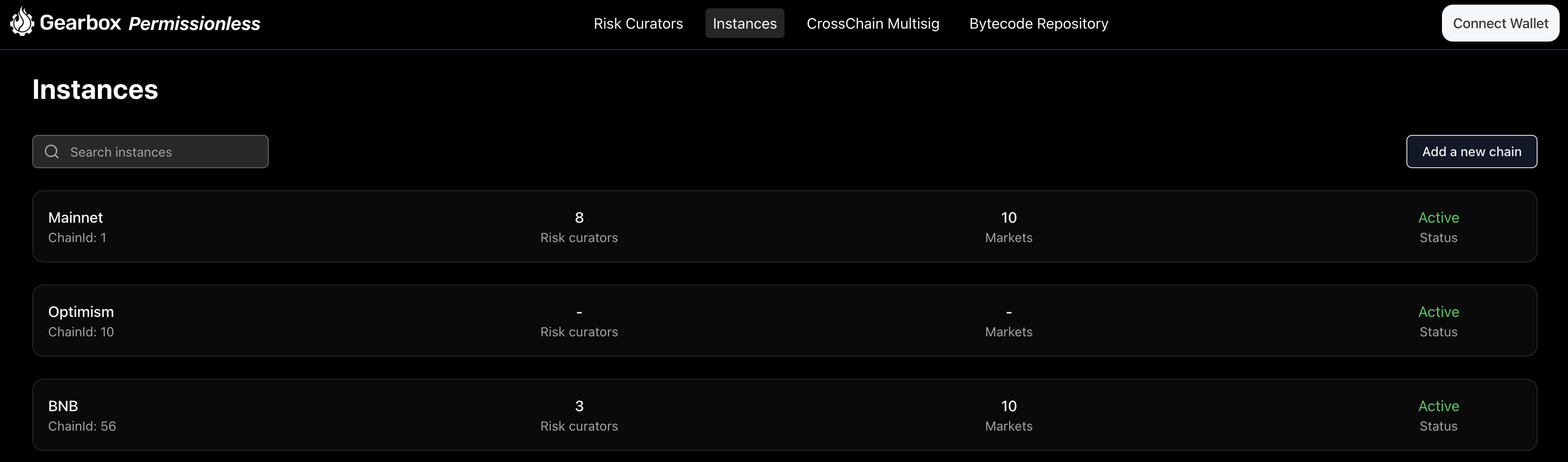
1. Navigate to the **Instances Page** on the Gearbox UI.
2. Select the relevant chain and click **Sync**.
3. Wait for the sync to complete. The new Market Configurator will appear in the dashboard.
UI walkthrough
On Instances Page click on a chain where you've deployed Market Configurator
Click on a Sync button and wait for Sync to end
{% endstep %}
{% endstepper %}
### Next Steps
With the Market Configurator deployed, the infrastructure is ready for the first lending Market.