

Configure Adapters
What are adapters?
The Credit Account design enables active interaction with the DeFi ecosystem while borrowing — such as swapping tokens, depositing into vaults, claiming rewards, and more. However, allowing arbitrary operations poses security risks.
Adapters — modular contracts that enable secure, controlled interactions with external protocols.
Why do curators need to configure adapters?
Having adapters properly configured in the market is essential for allowing collateral swaps, 1-click leverage and other UX features of Gearbox protocol.
Existing offchain infra (Front End, Liquidator) rely on router for finding paths from/to available collaterals. Router is not part of Gearbox protocol, therefore it’s not present in Bytecode repository. Router is used by Gearbox SDK to provide swap paths and it doesn’t interact with core contracts directly.
What protocols are already integrated?
| Protocol | Supported actions |
|---|---|
| Swaps | |
Pancakeswap, IguanaDEX | Swaps, Stableswap LP deposits |
| Swaps, LP deposits | |
| Swaps, LP deposits | |
| Pendle | PT swaps |
Mellow | Instant deposits, Delayed withdrawals |
Velodrome, Aerodrome | Swaps |
Camelot, Thena (Algebra AMM dexes) | Swaps |
| Napier | PT Swaps, LP deposits |
| Convex | Staking LP, claiming rewards |
| Fluid DEX | Swaps |
Camelot, Thena, Quickswap (Algebra AMM) | Swaps |
| Trader Joe | Swaps |
| Infrared | Staking LP, claiming rewards |
| Sky | DAI - USDS conversion, Staking USDS for SKY |
| Lido | stETH - wstETH conversion |
| ERC4626 | Instant deposits and withdrawals (whenever possible) |
| Kodiak Island | Deposit into Island, Swaps in pool |
Uniswap | Swaps |
| InfiniFi | Instant deposits, Delayed withdrawals |
All the source code and audit reports of the contracts can be found in Bytecode Repository. Use search, click on the target contract and then View Source or View Report. All the Adapters can be found by searching for the ADAPTER domain in Bytecode Repository.
setup example (BNB chain: USD1 pool, USDX collateral)
setup example (Ethereum chain: tBTC pool, uptBTC collateral)
setup example (Ethereum chain: USDC pool, frxUSD/USDf collateral)
Uniswap, Sushiswap V2
Uniswap V2 router configuration
For the router on the chain to support swaps, Uniswap V2 worker should be configured.
It requires passing the following addresses:
-
SwapRouter
-
Add UniswapV2 adapter (requires providing router address):
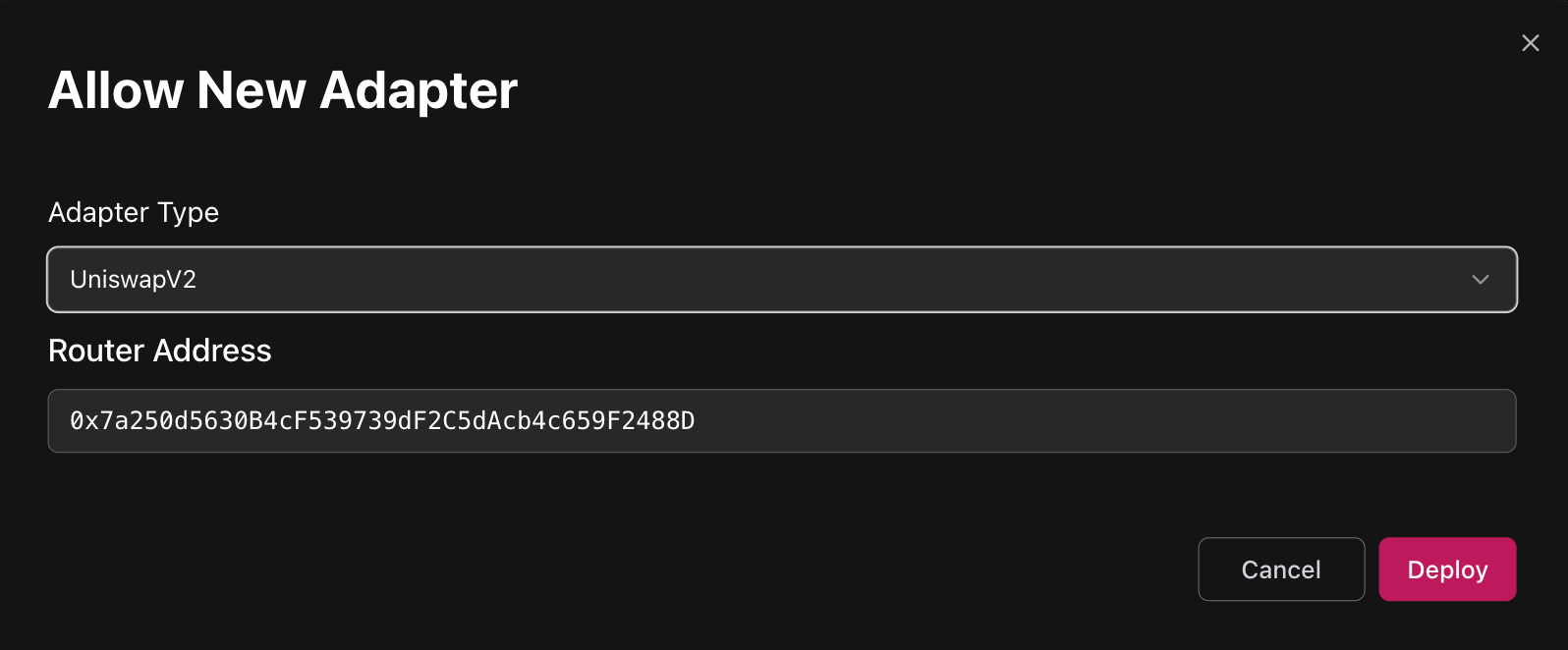
- Uni V2 deployment addresses: https://docs.uniswap.org/contracts/v2/reference/smart-contracts/v2-deployments
- Sushi V2 deployment addresses: https://github.com/sushiswap/v2-core/tree/master/deployments
Before allowing pools in adapter, please ensure that tokens from a pair are added as Assets to Market and as Collaterals to Credit Manager.
&#xNAN;e.g. to add WETH/USDC pool both WETH and USDC must be added before.
-
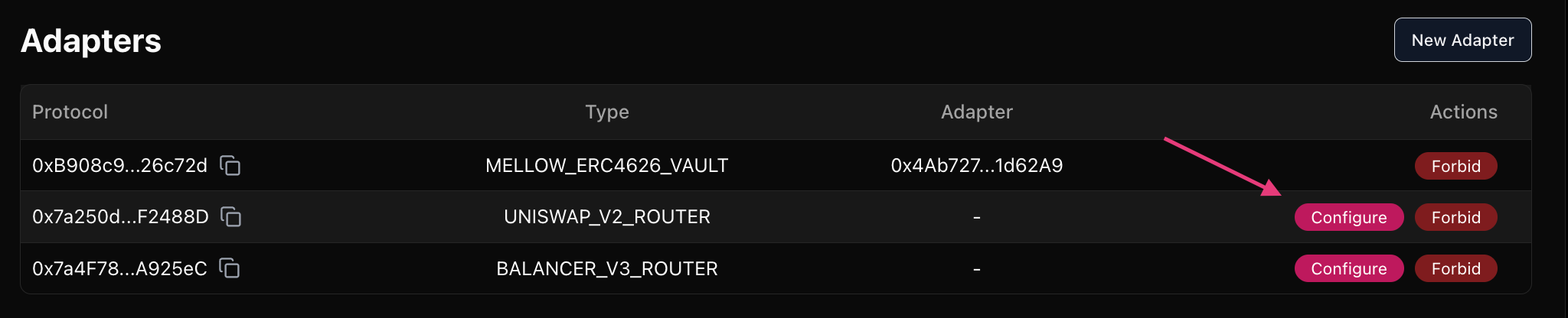
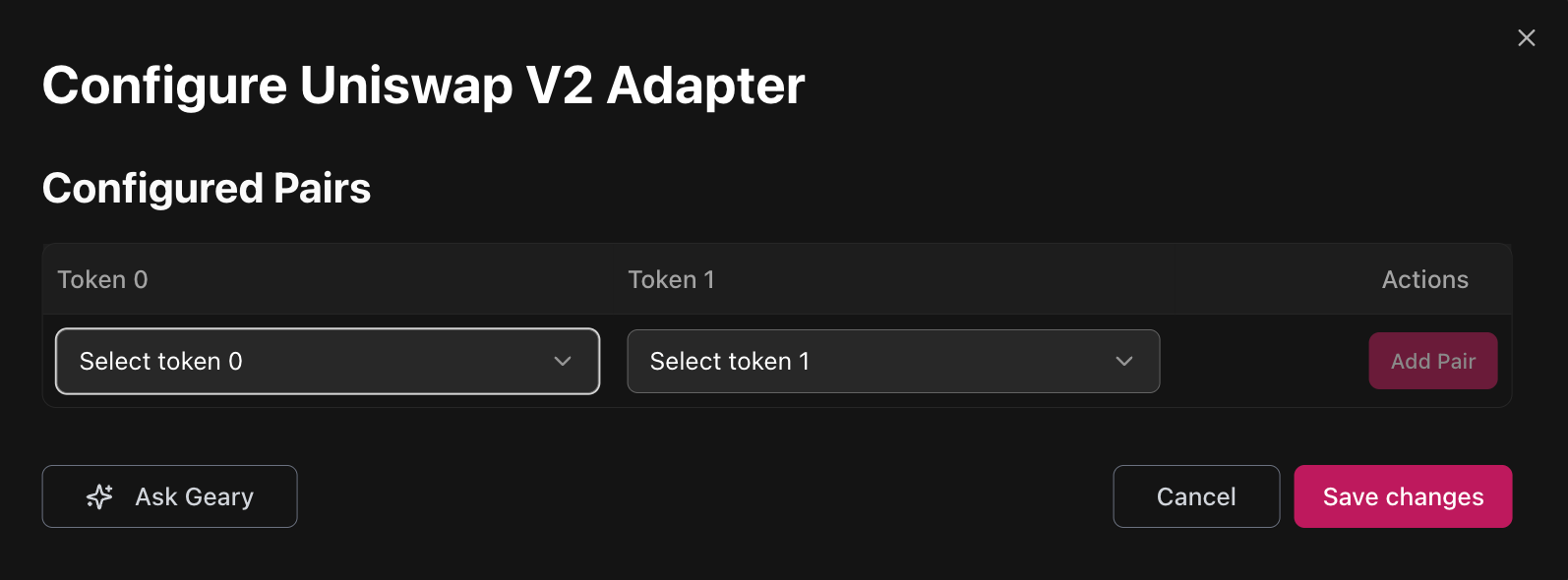
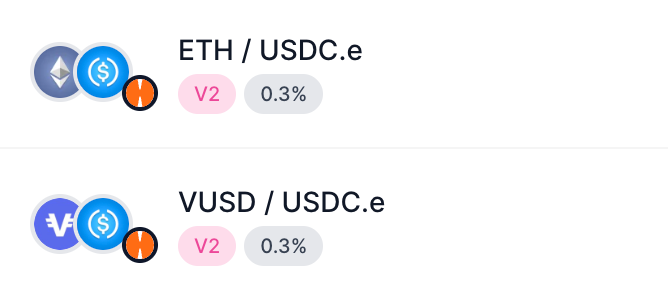
Configure adapter to whitelist pools:
-
Uni V2
-
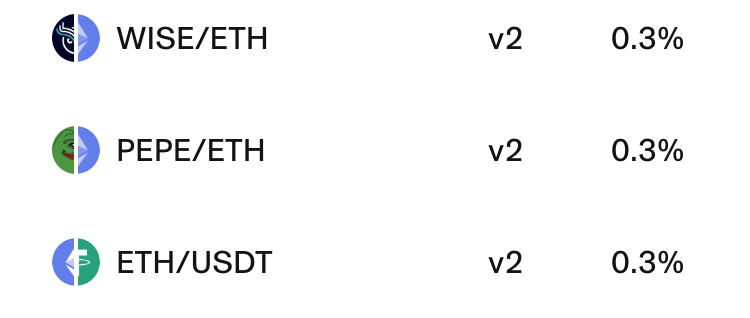
Configuration requires specifying tokens from a pair
-
Sushi V2
-
Configuration requires specifying tokens from a pair
-
-
Uniswap, Sushiswap, Pancakeswap, IguanaDEX, Oku trade V3
Uniswap V3 router configuration
For the router on the chain to support swaps, Uniswap V3 worker should be configured.
It requires passing the following addresses:
-
SwapRouter
-
QuoterV2
-
Add UniswapV3 adapter (requires providing SwapRouter address):
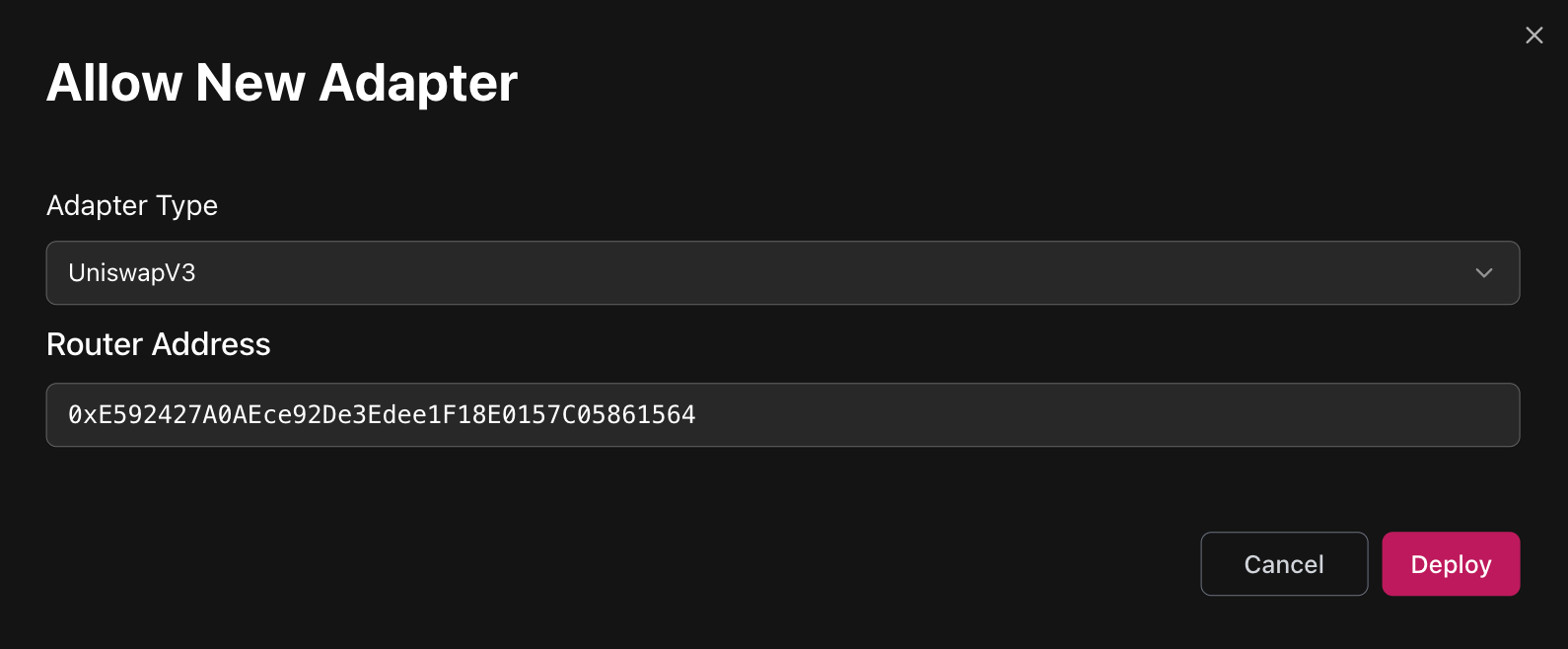
- Uni V3 deployment addresses: https://docs.uniswap.org/contracts/v3/reference/deployments/
- Sushi V3 deployment addresses: https://github.com/sushiswap/v3-periphery/tree/master/deployments
- Oku Trade deployment addresses: https://docs.oku.trade/home/extra-information/deployed-contracts
- PancakeSwap deployment addresses: https://developer.pancakeswap.finance/contracts/v3/addresses
- IguanaDEX deployment addresses: https://docs.iguanadex.com/iguanadex-on-mainnet/contract-addresses
Router deployment must have bytecode of Uniswap's SwapRouter.sol contract. Sometimes it has only SwapRouter02 deployment specified.
On some chains that was already solved by deploying required implementation of router (see below).
If it's not, reach out to Gearbox contributors.
Before allowing pools in adapter, please ensure that tokens from a pair are added as Assets to Market and as Collaterals to Credit Manager.
&#xNAN;e.g. to add WETH/USDC pool both WETH and USDC must be added before.
-
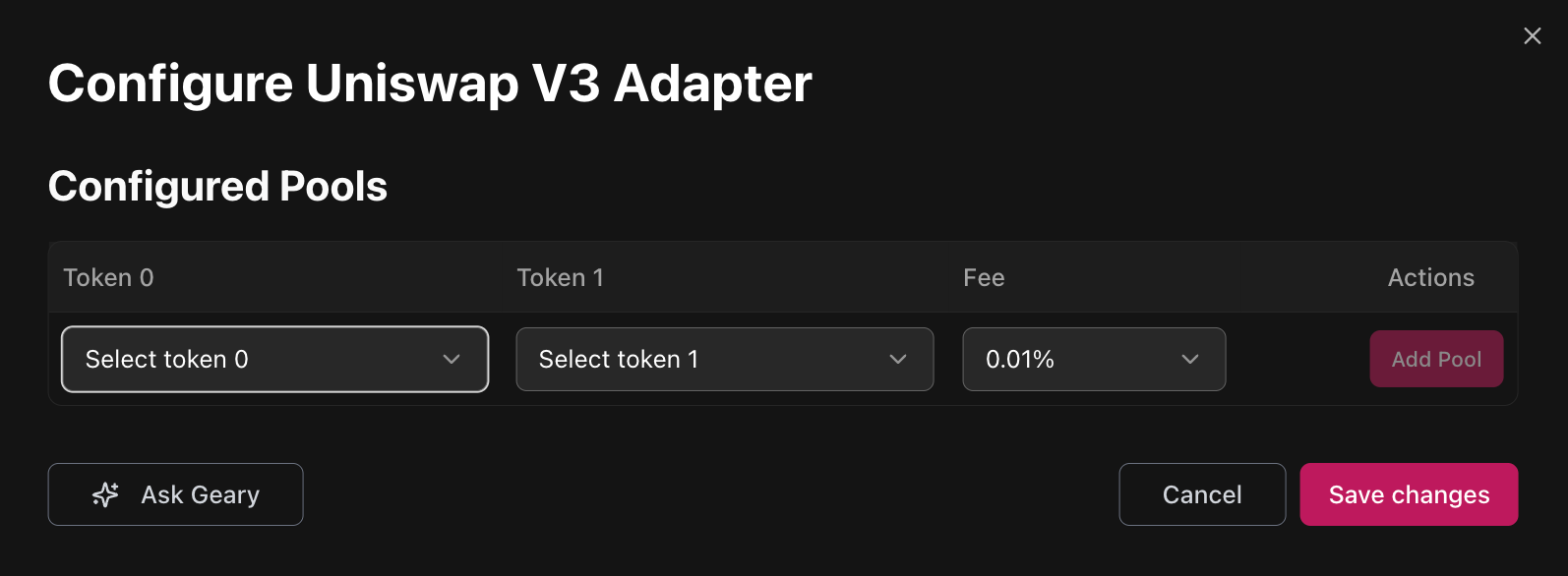
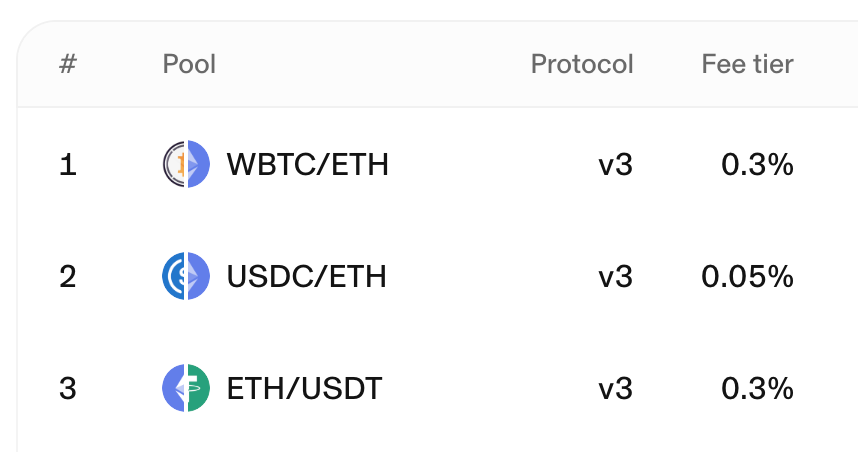
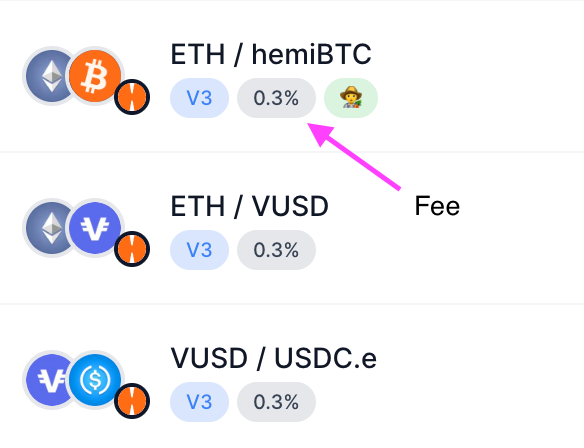
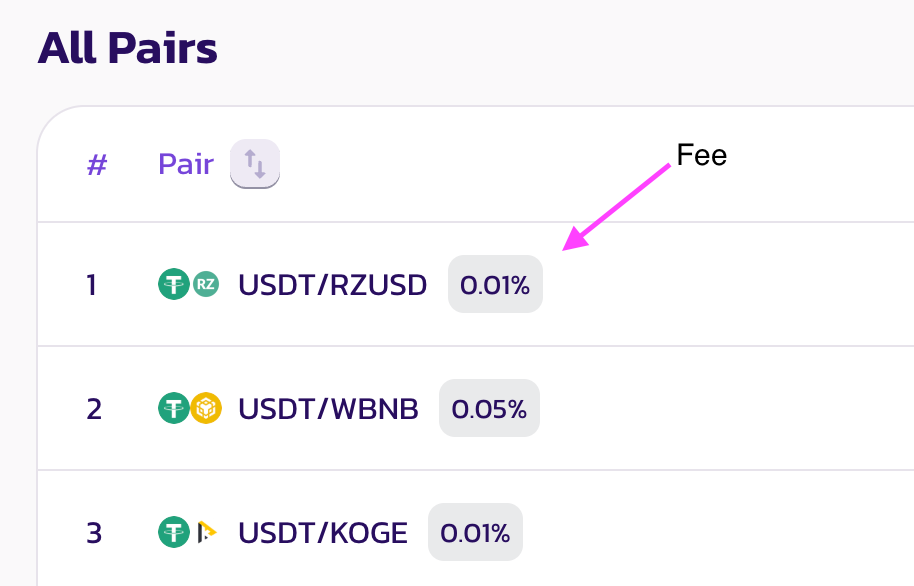
Configure adapter to whitelist pools:
&#xNAN;Configuration requires specifying tokens and fee from a pair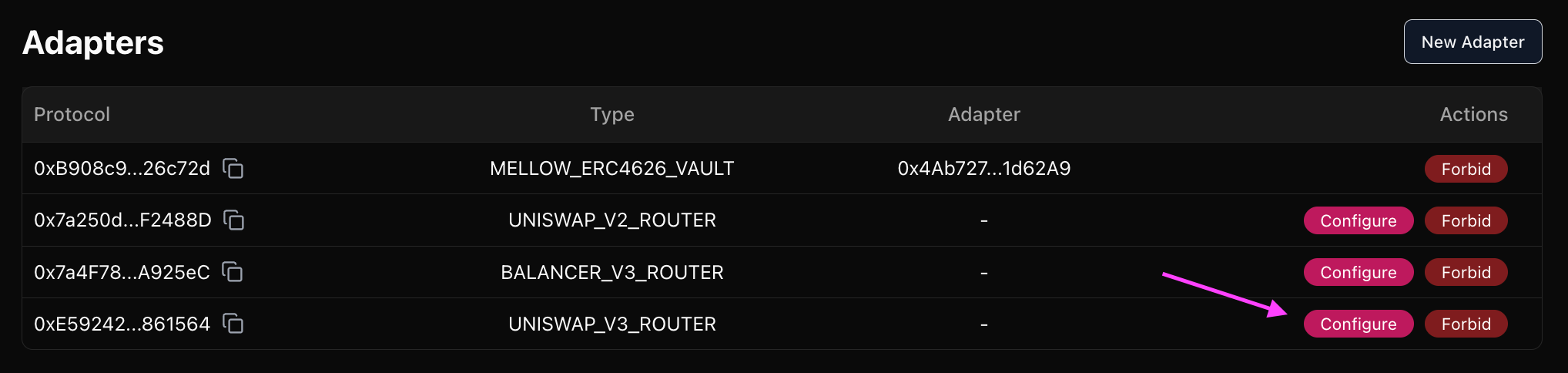
-
Uni V3
-
Sushi V3
Velodrome, Aerodrome Concentrated Liquidity (Slipstream)
For the router on the chain to support swaps, Uniswap V3 worker should be configured.
It requires passing the following addresses:
-
SwapRouter
-
Quoter
-
Add UniswapV3 adapter (requires providing SwapRouter address):
- Velodrome V3 (Slipstream) multichain deployment addresses: https://github.com/velodrome-finance/superchain-slipstream/blob/main/deployment-addresses
- Aerodrome V3 (Slipstream) https://github.com/aerodrome-finance/slipstream?tab=readme-ov-file#deployment
-
Configure adapter to whitelist pools:
&#xNAN;Configuration requires specifying tokens and fee from a pair -
Fee is a number specified in UI divided by 10000
e.g. Concentrated Volatile 100 ⇒ fee = 0.01%
Concentrated Stable 1 ⇒ fee = 0.0001%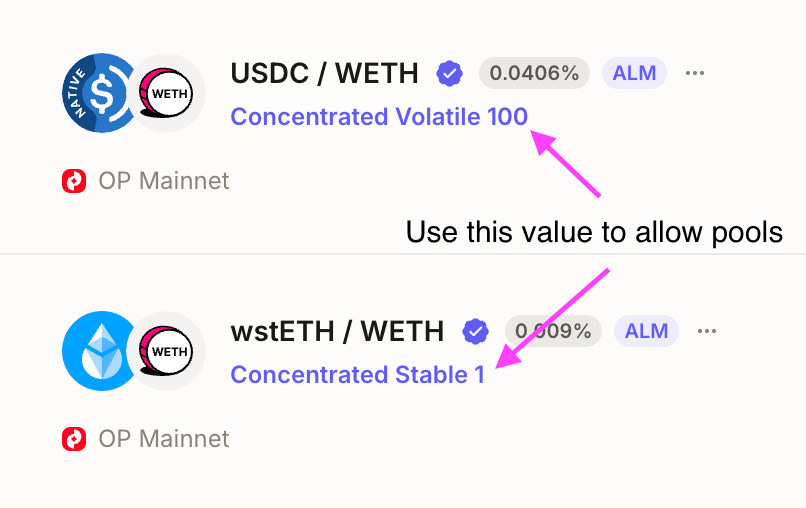
Curve StableSwap, CryptoSwap and StableNG
- How to understand what's the type of the pool of interest:
- Go to the block explorer page of Curve Address provider on a chain of interest:
https://docs.curve.finance/deployments/integration/ - Call Address Provider's get_address method with id = 7 to get address of MetaRegistry
On Mainnet MetaRegistry is located here. - Call get_registry_handlers_by_pool of MetaRegistry, passing target pool address as argument.
- Check non-zero address from step 3. output. It usually has clues in first lines of its code.
- Go to the block explorer page of Curve Address provider on a chain of interest:
Before adding adapter, please ensure that tokens from a pool and pool LP token itself are added as Assets to Market and as Collaterals to Credit Manager.
&#xNAN;e.g. to add 3Pool (USDC/USDT/DAI) adapter both USDC, USDT, DAI and 3Pool token itself must be added before.
&#xNAN;learn how to find pool's token address below.
-
If the pool is not Stable NG:
&#xNAN;Select Curve V1 2/3/4 Assets adapter depending on the number of different tokens in target pool: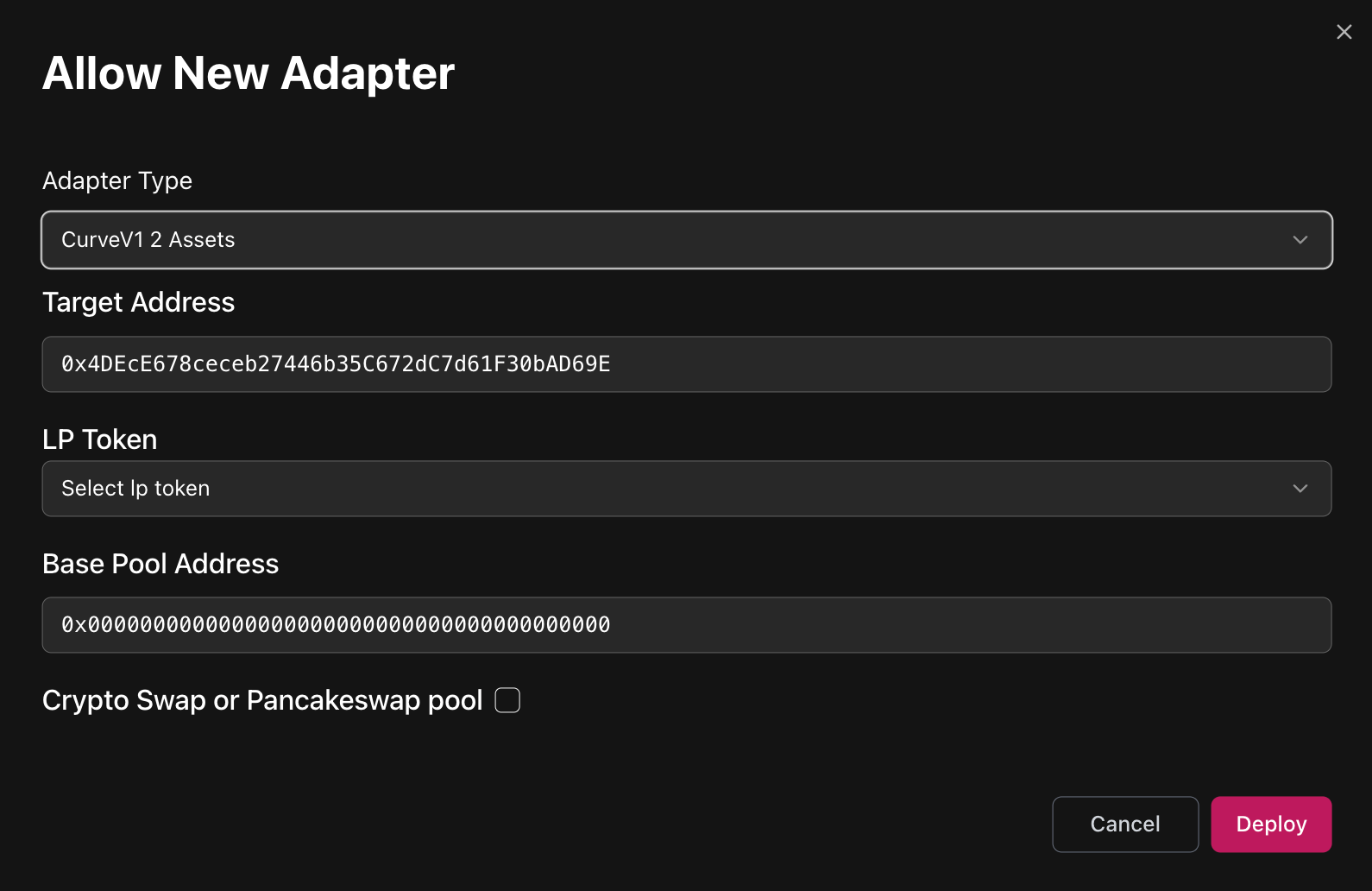
-
If the pool is Stable NG:
&#xNAN;Select Curve StableNG adapter: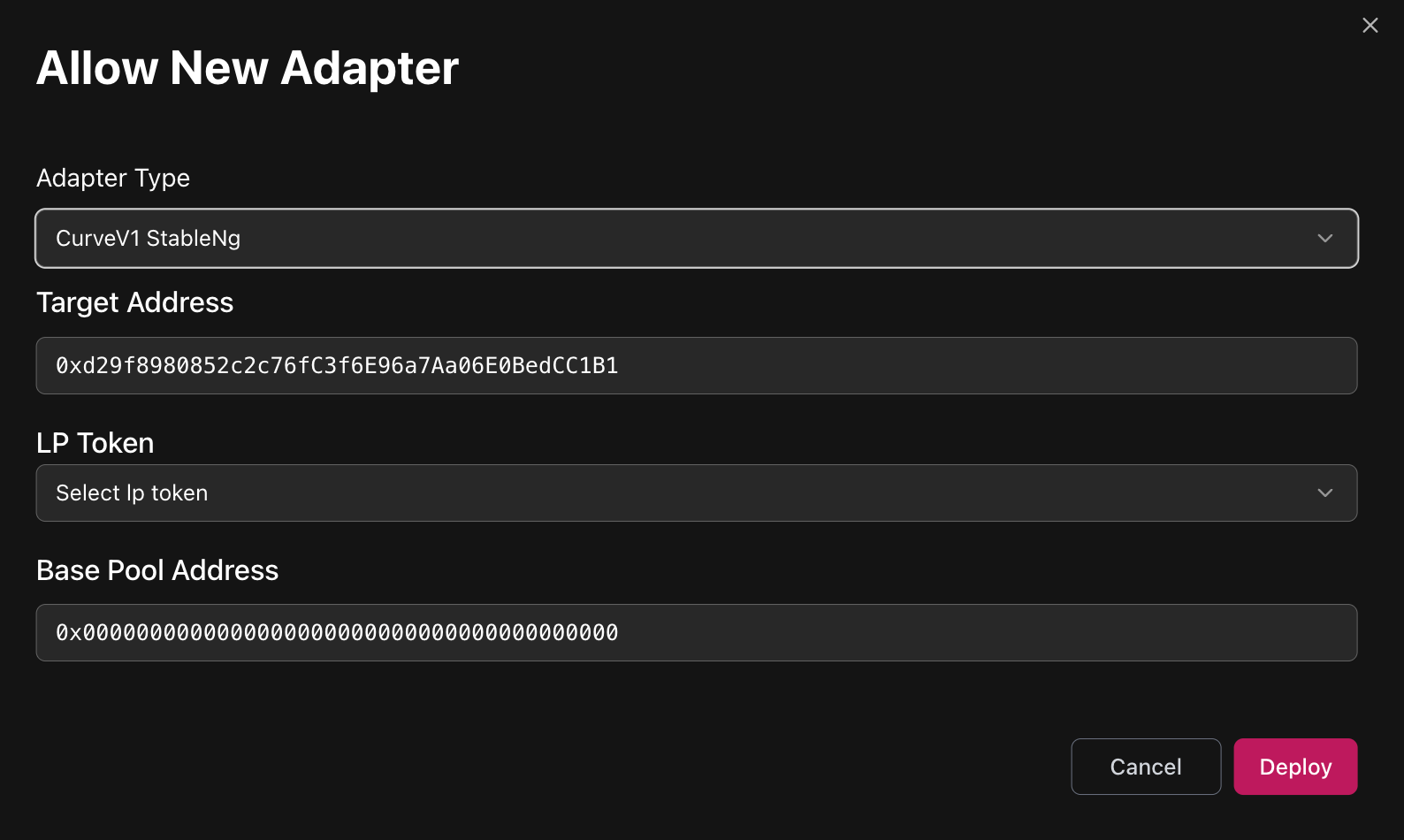
If the pool operates with non-erc20 ETH balance, deploy a ETH Gateway first and then pass it as target address.
See the list of deployed gateways below and reach out to Gearbox team if the needed is not present.
- Adapter arguments:
- Target Address
-
The address of the pool
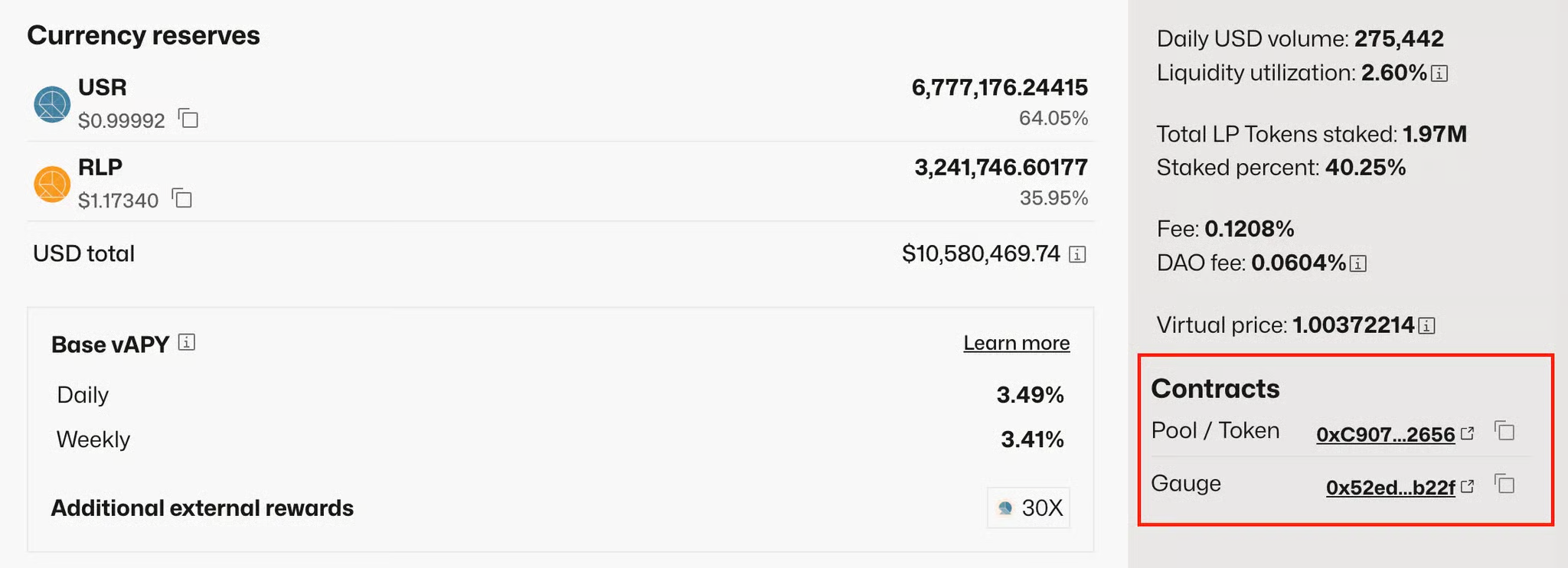
-
- LP token
-
The address of the pool's LP token (may be different from pool itself)
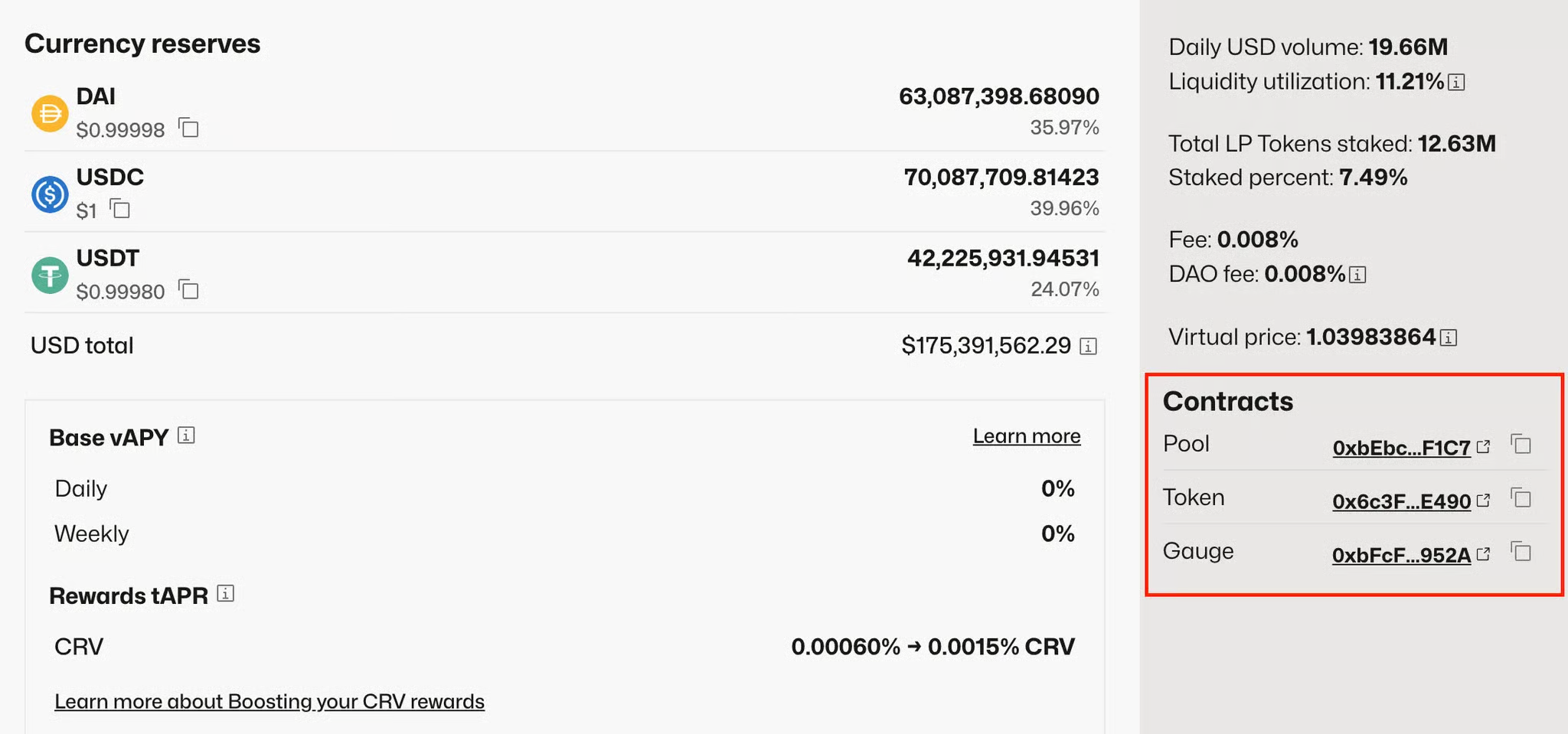
-
- Base Pool Address
- Crypto Swap or PancakeSwap pool
- If Type of Pool is Crypto Swap (a.k.a Twocrypto/ Tricrypto) checkout this box.
- Target Address
- ETH Gateway deployments:
- Mainnet:
- ETH/stETH pool Gateway: 0x0675cb2066bacae2edfd09633d5b62be3c619a35
- Mainnet:
PancakeSwap/ IguanaDEX StableSwap
Before adding adapter, please ensure that tokens from a pool and pool LP token itself are added as Assets to Market and as Collaterals to Credit Manager.
&#xNAN;e.g. to add USDX/USDT adapter both USDX, USDT and pool's LP token itself must be added before.
&#xNAN;learn how to find pool's token address below.
-
Select Curve V1 2 Assets adapter:
- Target Address
-
The address of the pool
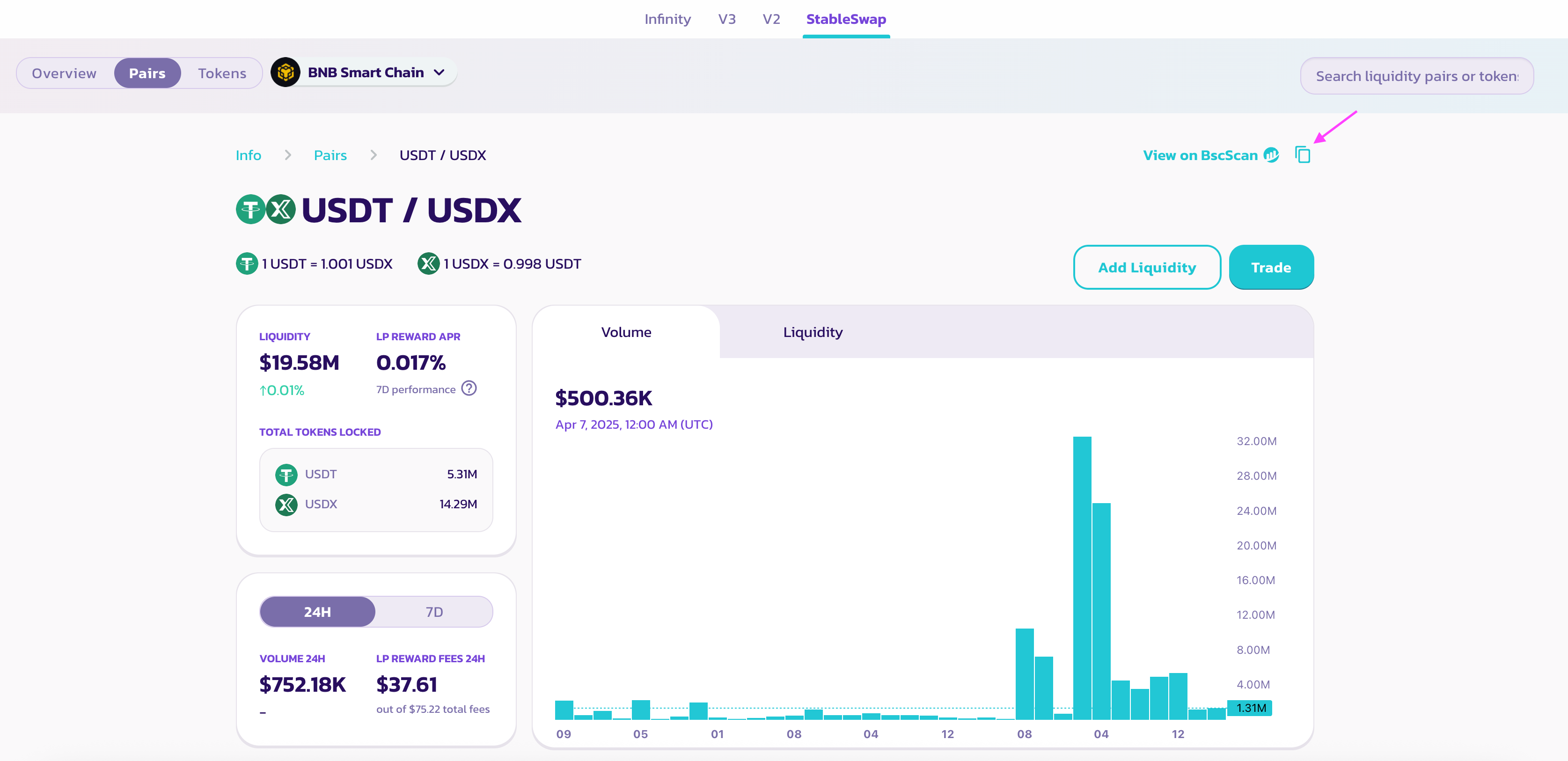
-
- LP token
-
The address of the pool's LP token (can be retreived by calling token() method of pool contract)
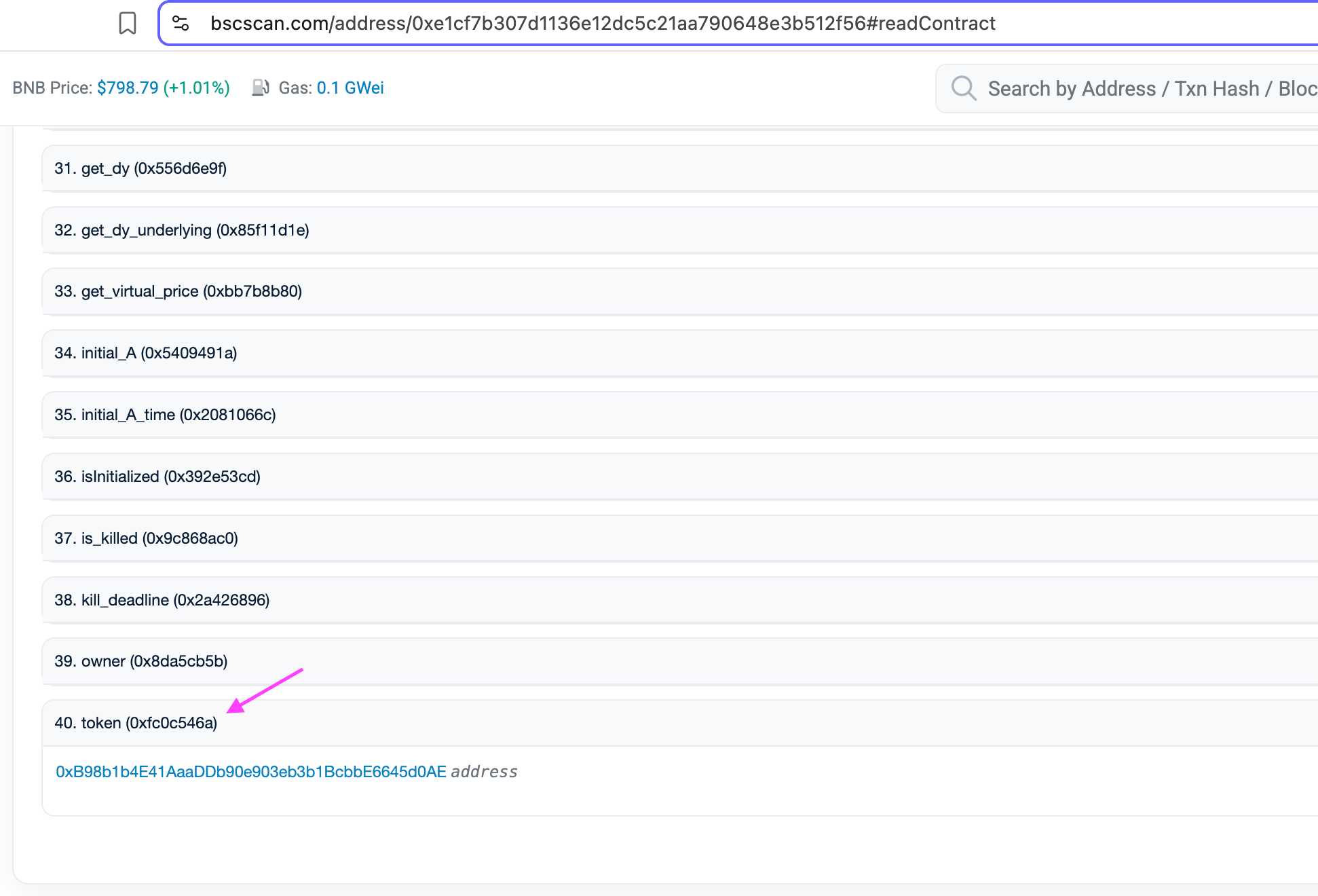
-
- Base Pool Address
- Not applicable to PancakeSwap. Leave untouched.
- Crypto Swap or PancakeSwap pool
- Checkout this checkbox.
- Target Address
Pendle
Pendle router configuration
For the router on the chain to support swaps, Pendle worker should be configured.
It requires passing the following addresses:
- routerStatic
Pendle adapter configuration
-
Add Pendle adapter (requires providing router address):
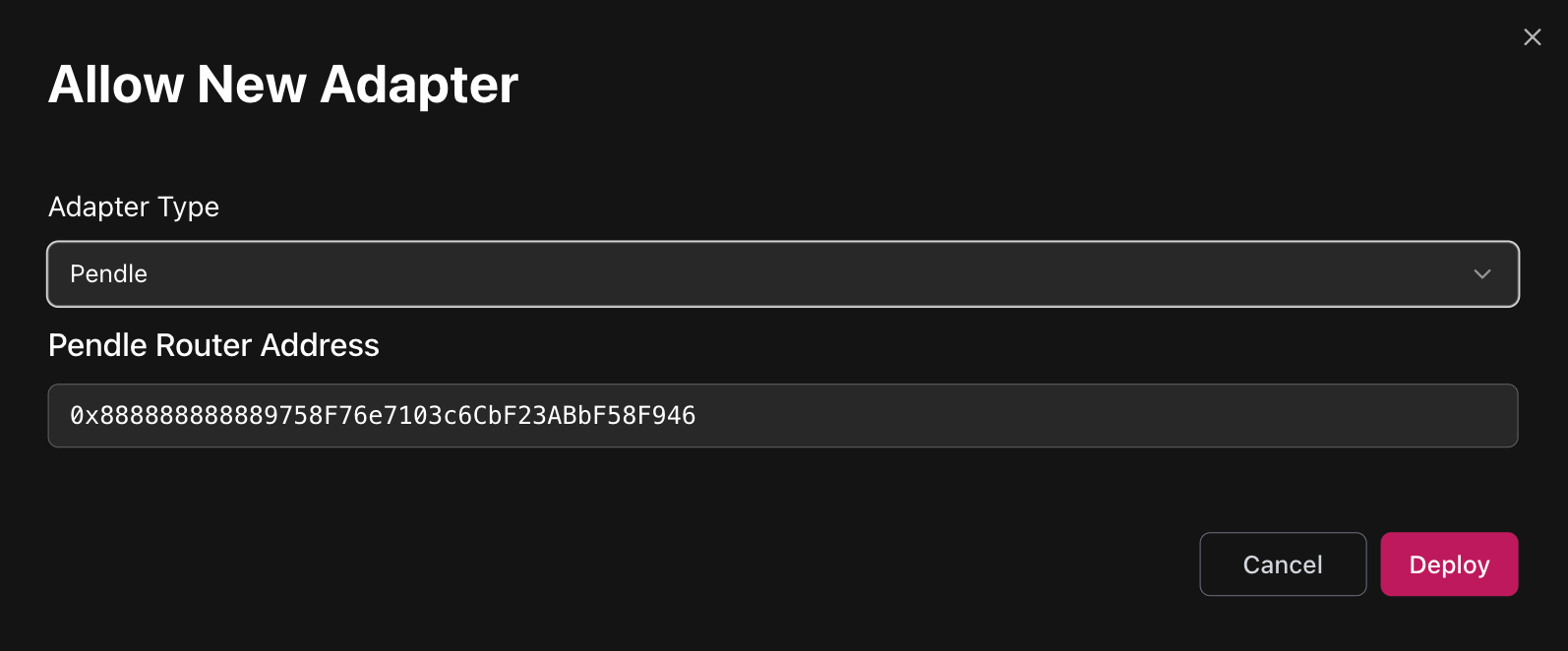
-
Pendle deployment addresses: https://github.com/pendle-finance/pendle-core-v2-public/blob/main/deployments
Before adding pool to adapter, please ensure that pool's input token and PT token are added as Assets to Market and as Collaterals to Credit Manager.
&#xNAN;e.g. to add Pendle pool for PT-sUSDe, both sUSDe and PT-sUSDe must be added before.
-
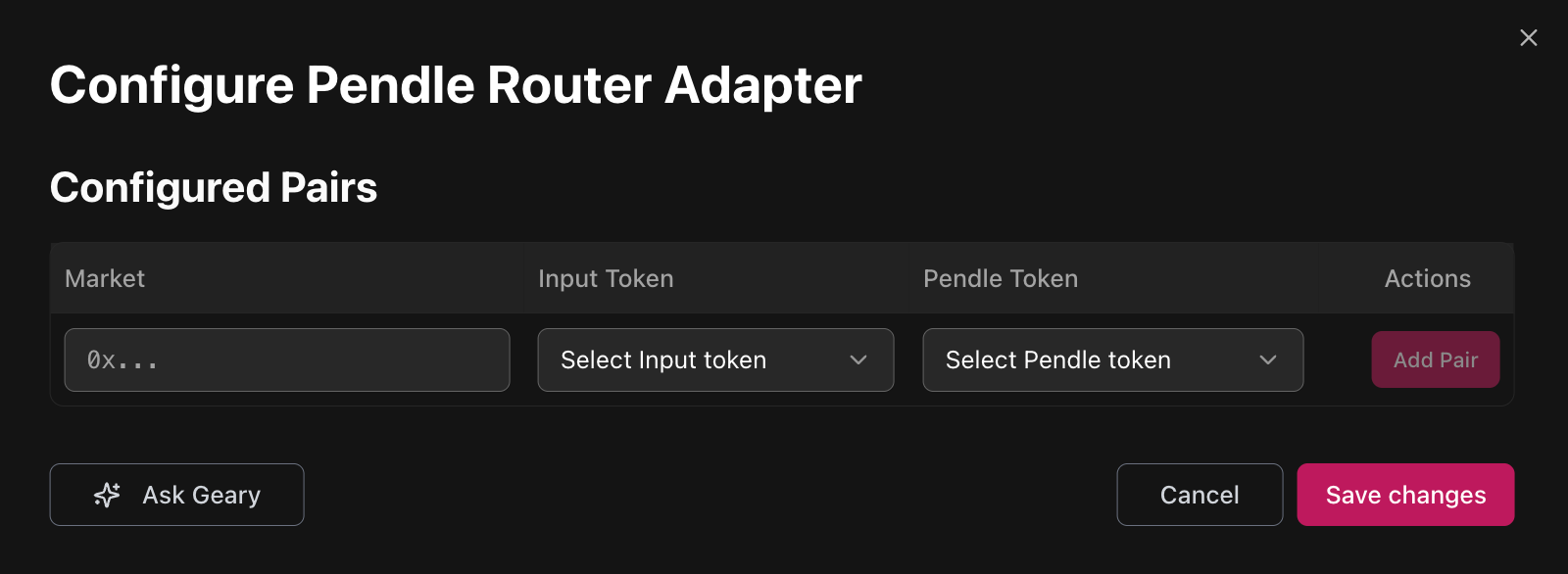
Configure adapter to whitelist pools:
&#xNAN;Configuration requires specifying market address and input/output tokens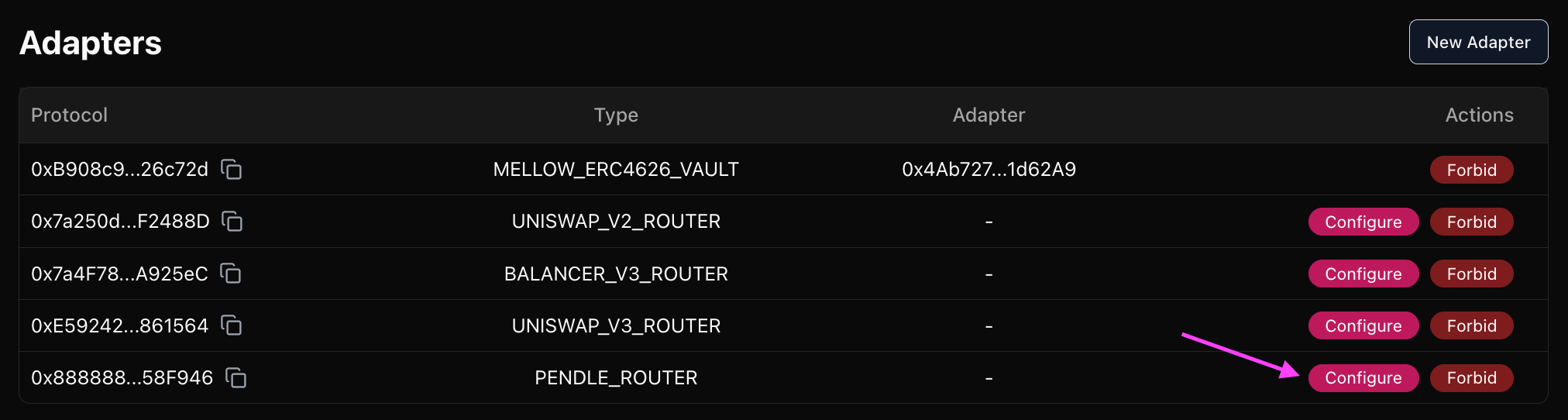
-
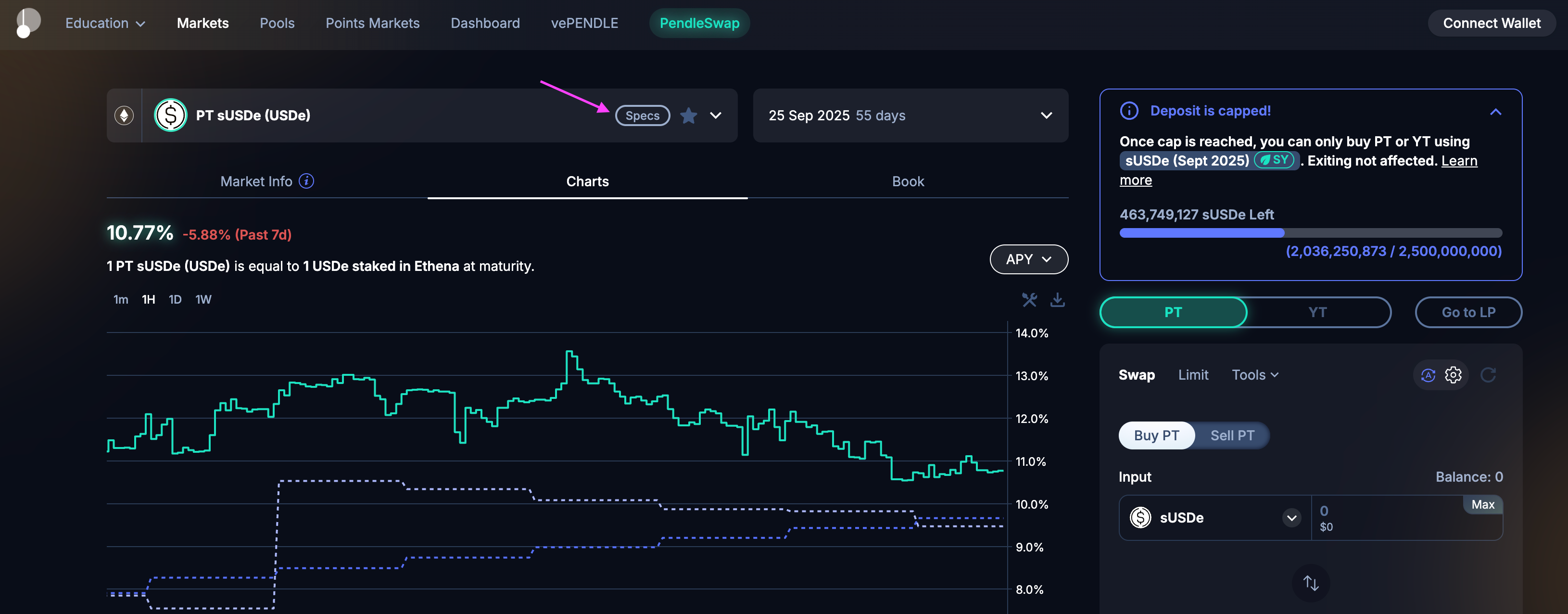
Market:
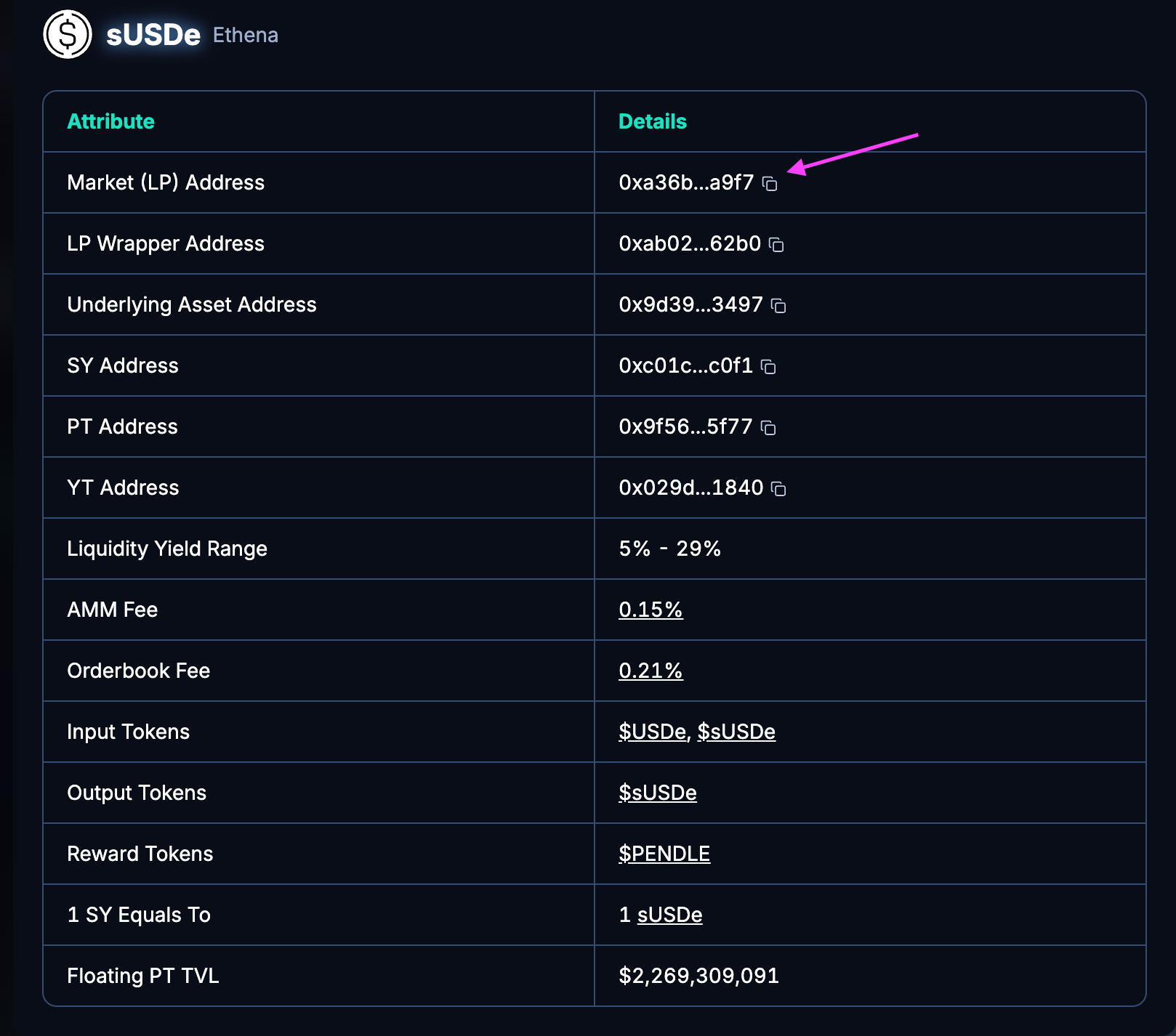
-
Input token:
Select a token that is in the "1 SY Equals To" row on the screenshot above ^ -
Pendle token:
Target PT token
Fluid DEX
Fluid DEX router configuration
For the router on the chain to support swaps, Fluid worker should be configured.
It requires passing the following addresses:
- fluidDexResolver
Before adding pool to adapter, please ensure that pool's tokens are added as Assets to Market and as Collaterals to Credit Manager.
&#xNAN;e.g. to add Fluid DEX for wstUSR/USDT, both wstUSR and USDT must be added.
-
Add Fluid DEX adapter (requires providing DEX address)
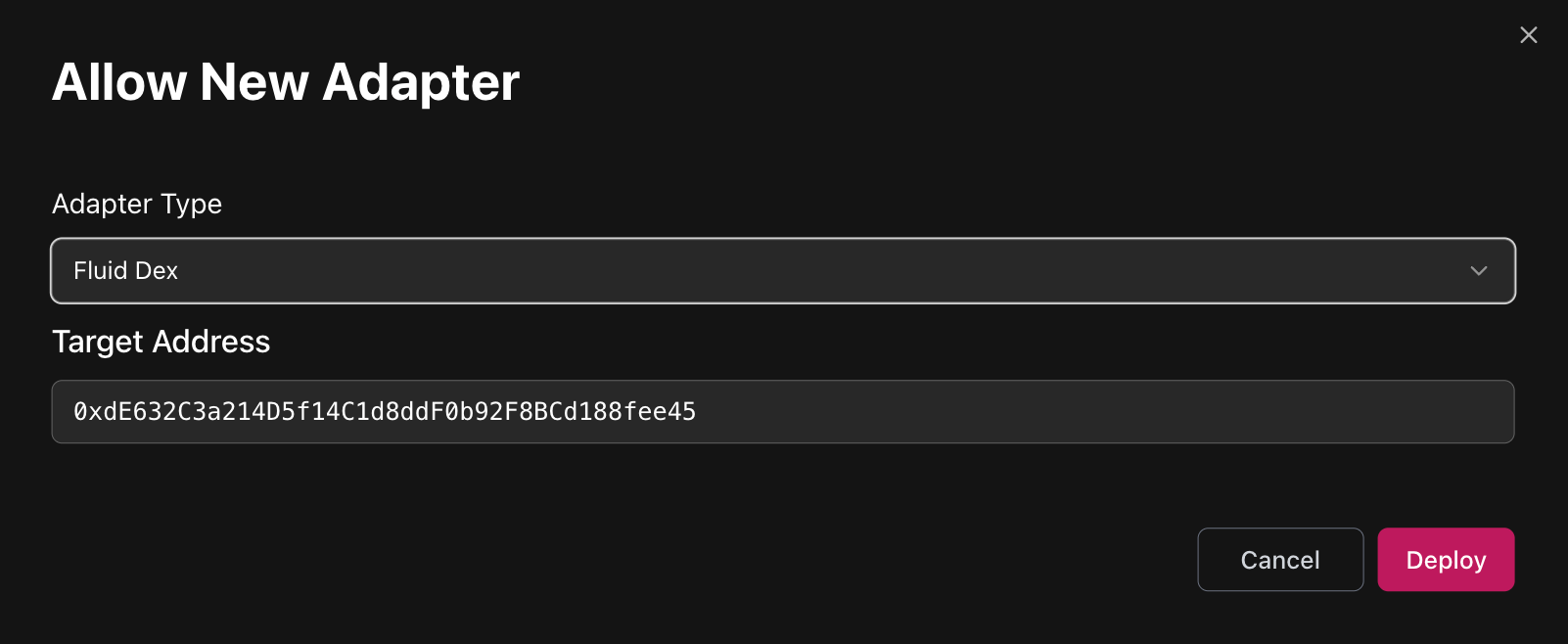
If the pool includes ETH token, ETH Gateway must be deployed first and then be passed as target address to Fluid DEX adapter.
- Fluid deployment addresses: https://github.com/Instadapp/fluid-contracts-public/blob/main/deployments/deployments.md
DEX addresses have names in the similar format: Dex_wstUSR_USDT.
Search the name based on required tokens above.
- ETH Gateway deployments:
- Mainnet:
-
Dex_wstETH_ETH: 0x9f294BF3201533B652aFb6B10c0385972C28a16f
-
ezETH_ETH: 0xa59fc0102b7c2aee66e237ee15cb56ad58a97b2e
-
rsETH_ETH: 0xb219cE3Fa907edCb375B7375F3C50d920e244bba
-
weETH_ETH:
0x0A226E0efa6FCF26837441d623210A9464349200
-
- Mainnet:
ERC4626
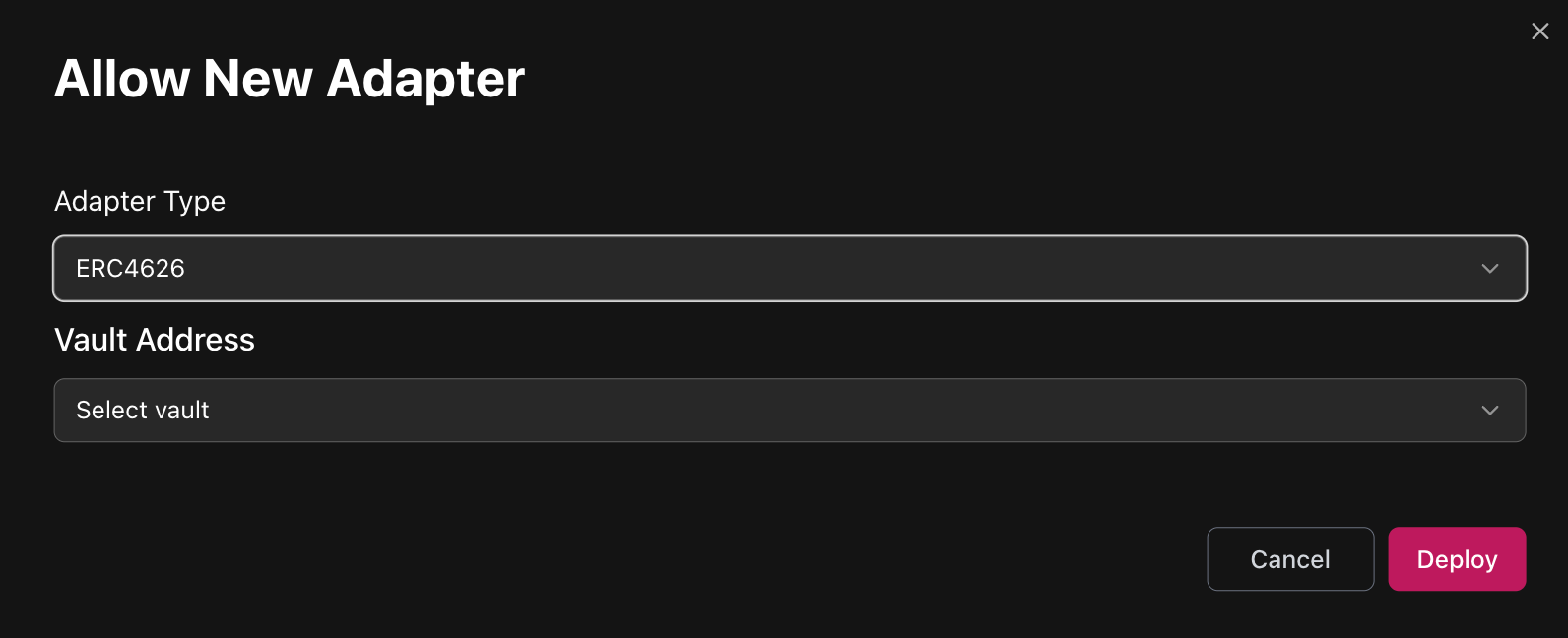
Takes ERC4626 Vault Address as parameter. Target vault must be added as Asset to Market and as Collateral to Credit Manager.
Before adding adapter, please ensure that token being underlying asset of a ERC4626 vault is added as Assets to Market and as Collaterals to Credit Manager.
&#xNAN;e.g. to add sDAI ERC4626 adapter DAI itself must be added before.
Operates using deposit, withdraw, mint and redeem functions of ERC4626 standard. Allows performing swaps from the vault’s asset token into ERC4626 vault share token.
Sometimes tokens look very much like ERC4626 but with overwritten methods, like those implementing timelocked deposits and withdrawals.
Note that this adapter works with vanilla standard methods only.
e.g. sUSDe can be minted from USDe using ERC4626 deposit interface, but has timelocked withdrawals.
Kodiak Island
Kodiak Island router configuration
For the router on the chain to support swaps, Kodiak Island worker should be configured.
It requires passing:
- _kodiakIslandRouter - 0x679a7C63FC83b6A4D9C1F931891d705483d4791F
- _kodiakSwapRouter - 0xEd158C4b336A6FCb5B193A5570e3a571f6cbe690
- _kodiakQuoter - 0x644C8D6E501f7C994B74F5ceA96abe65d0BA662B
Takes Gateway Address as parameter. On Berachain it's 0x8d41361d340515d1cdd8c369ca7b5c79f6b2e9c9.
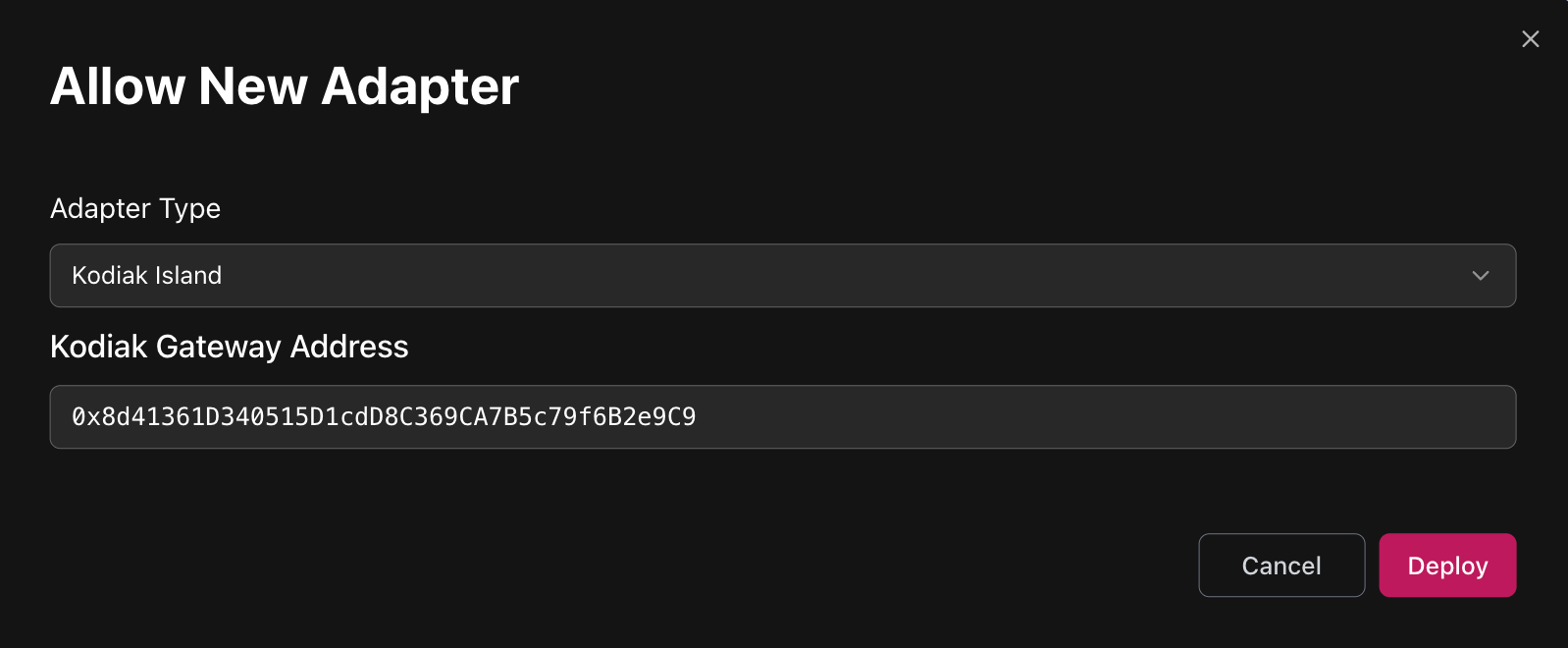
After adding adapter, click configure to whitelist particular Islands.
Before adding Island to adapter, please ensure that Island's tokens and Island itself are added as Assets to Market and as Collaterals to Credit Manager.
&#xNAN;e.g. to add WBERA/iBERA Island, WBERA, iBERA and Island must be added.

Convex-staked Curve LP
Before adding and configuring Convex pool adapters, ensure that Curve LP token, Convex Deposit Token, Staked Phantom Token, CRV and CVX are added as collaterals to Market and Credit Manager (everything except Staked Phantom Token can have zero limit, LT and feed).
Convex Deposit Token can be found by its symbol. If the Curve LP token has symbol frxUSDUSDf, then Convex deposit token will have symbol cvxfrxUSDUSDf.
Staked Phantom Token can be found by its symbol. If the Curve LP token has symbol frxUSDUSDf, then Convex deposit token will have symbol stkcvxfrxUSDUSDf.
Add Convex Base Reward Pool adapter.
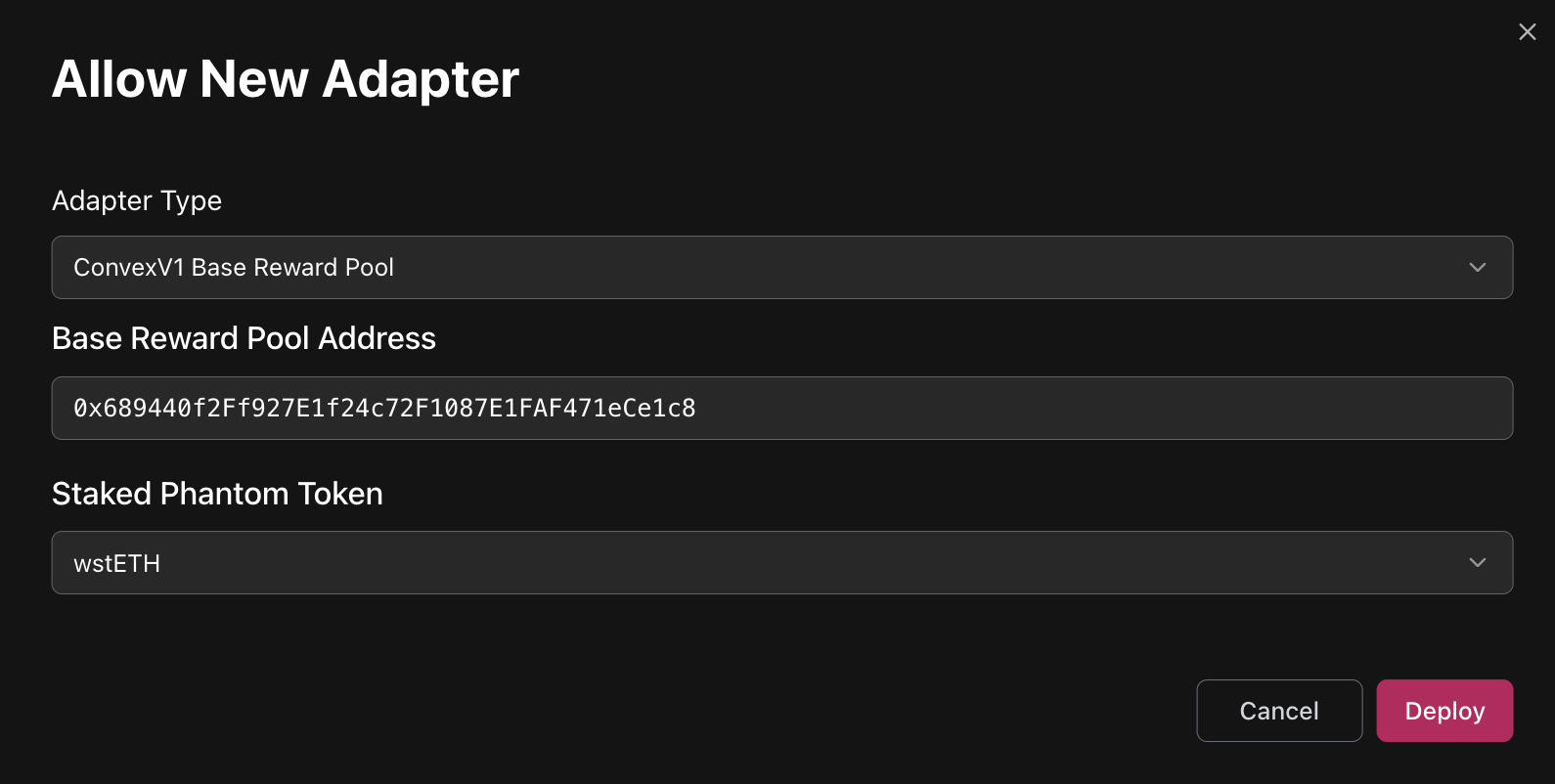
- Base Reward Pool Address:
-
Rewards contract address from Convex pool Info.
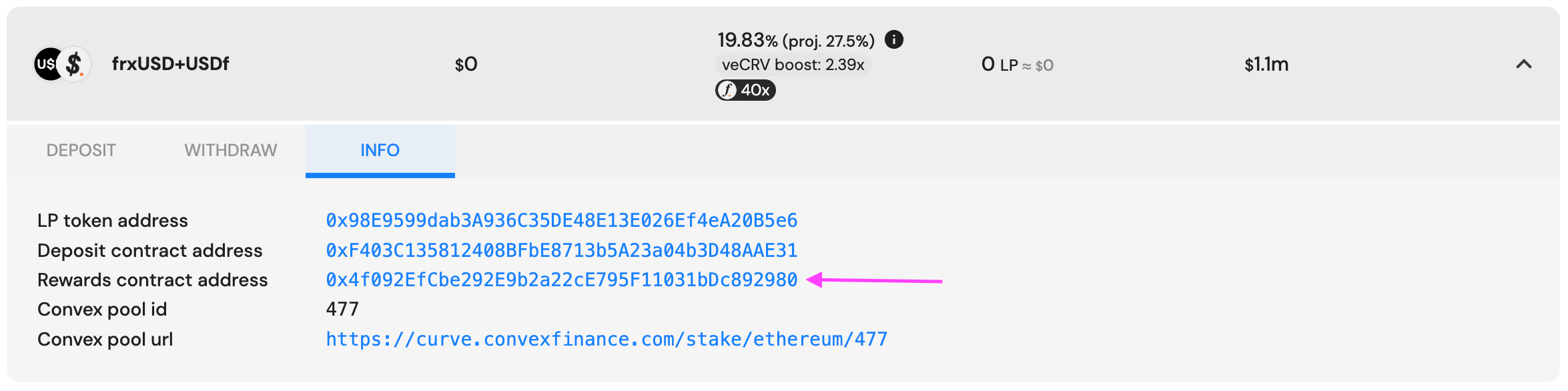
-
- Staked phantom token:
- Staked Phantom Token can be found by its symbol. If the Curve LP token has symbol frxUSDUSDf, then Convex deposit token will have symbol stkcvxfrxUSDUSDf.
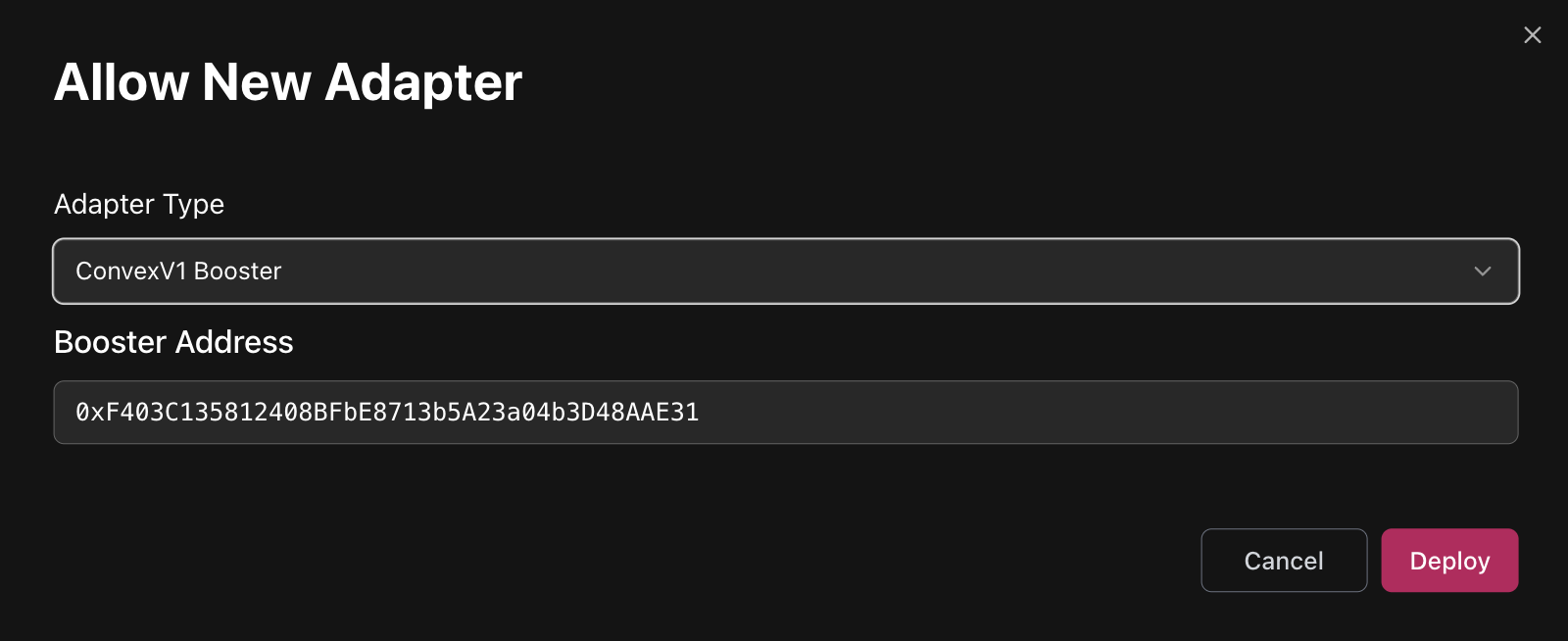
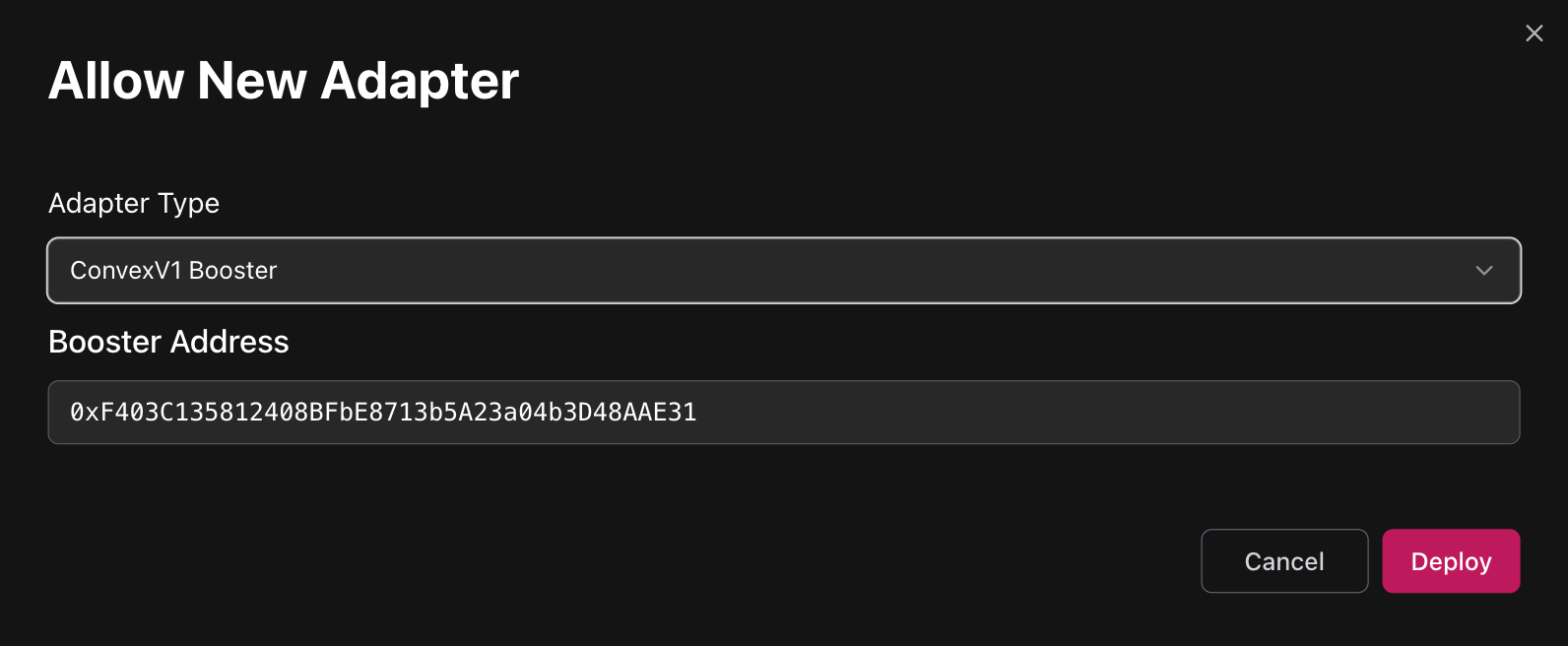
Add Convex Booster adapter
If the Credit Manager already includes the Convex Booster adapter, skip it and proceed to the next step (Update Convex booster Pool IDs).
Booster address is single across all chains and is suggested as default option.
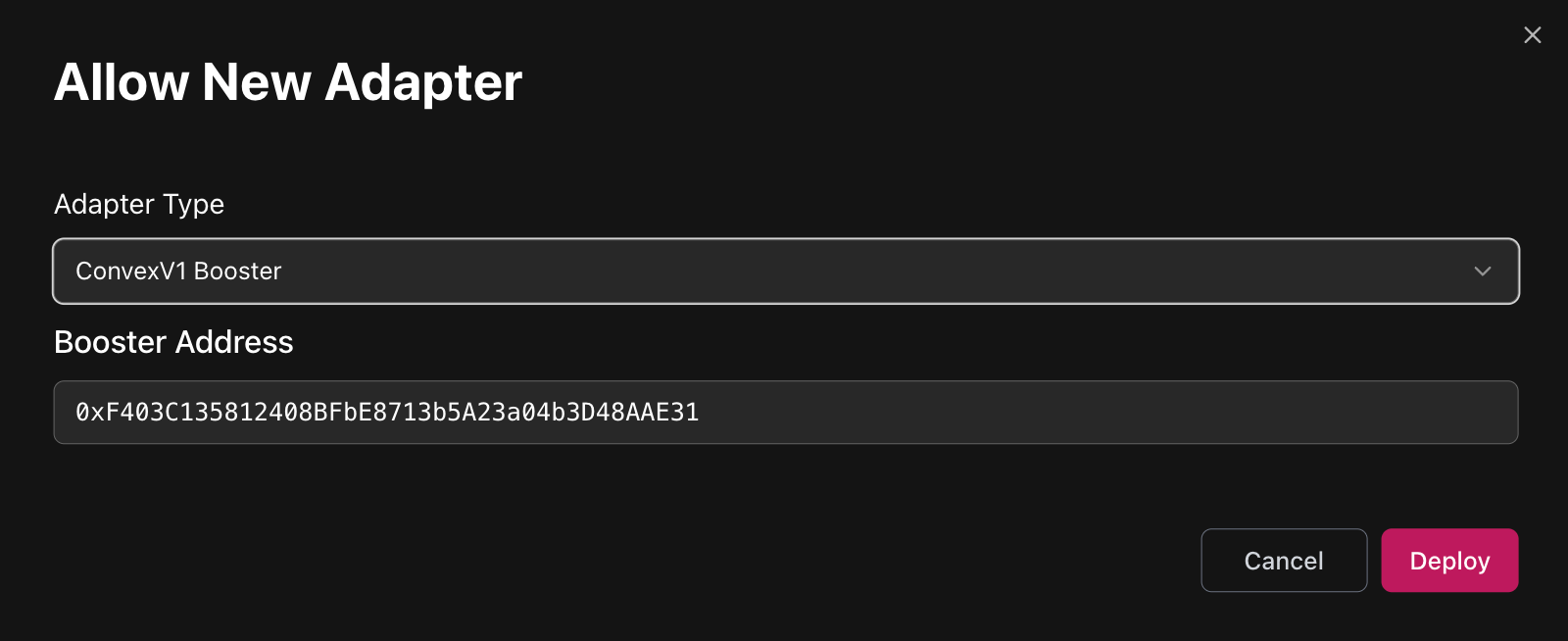
Update Convex booster Pool IDs
After each new Convex pool is added, Booster pool ids should be updated.

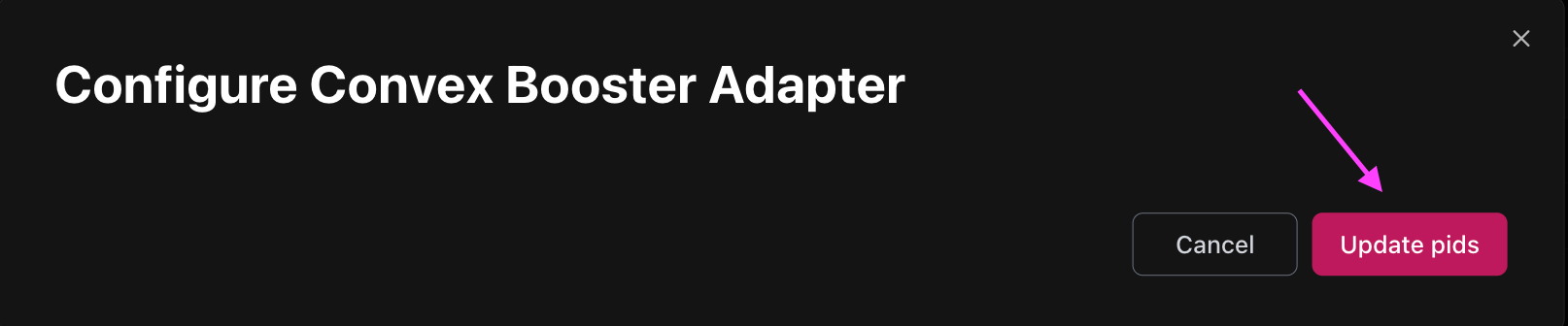
Balancer V2
Balancer V2 router configuration
For the router on the chain to support swaps, Balancer V2 worker should be configured.
Configuration requires passing:
- BalancerQueries
Balancer deployment addresses can be found here.
Balancer V2 adapter configuration
-
Add BalancerV2 adapter (requires providing Vault address):
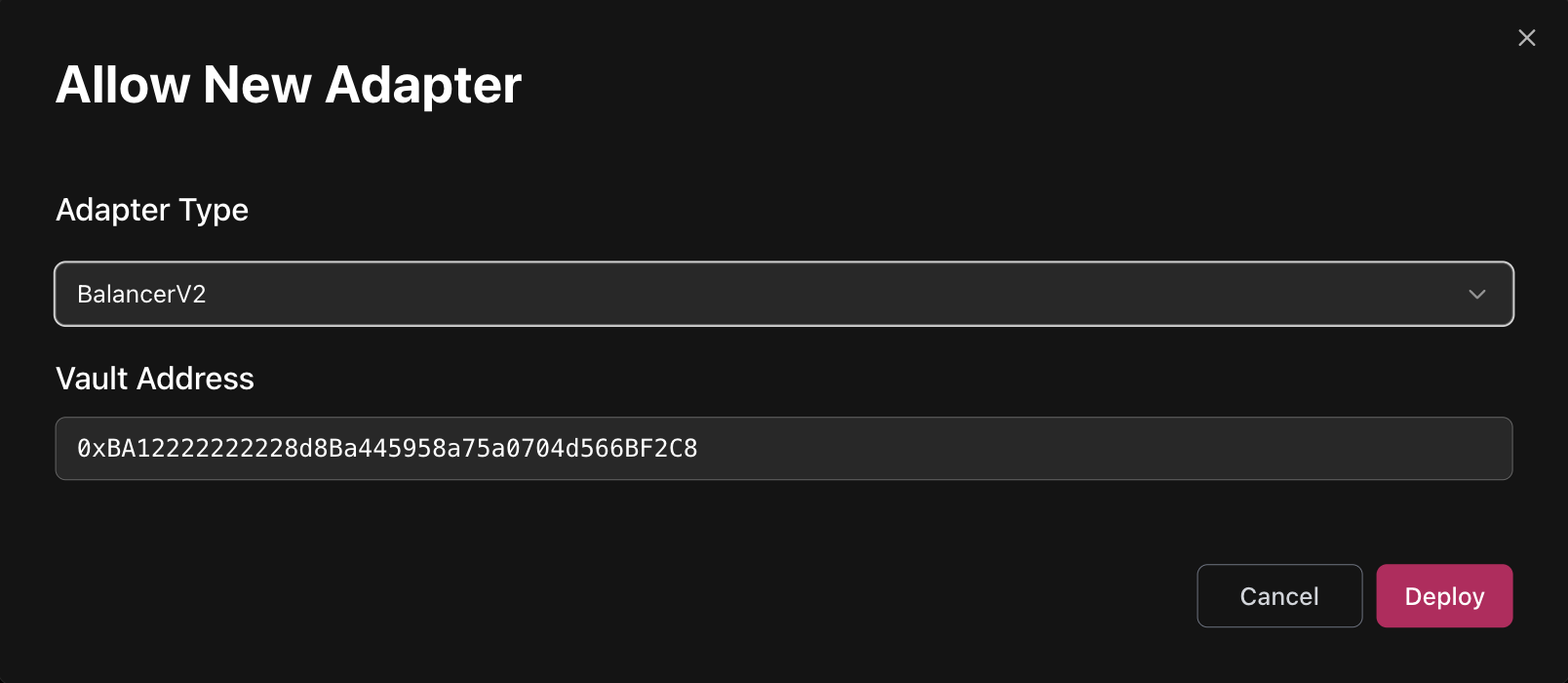
- Deployment addresses:
https://docs-v2.balancer.fi/reference/contracts/deployment-addresses/mainnet.html
- Deployment addresses:
Before adding adapter, please ensure that tokens from a pool and pool LP token itself are added as Assets to Market and as Collaterals to Credit Manager.
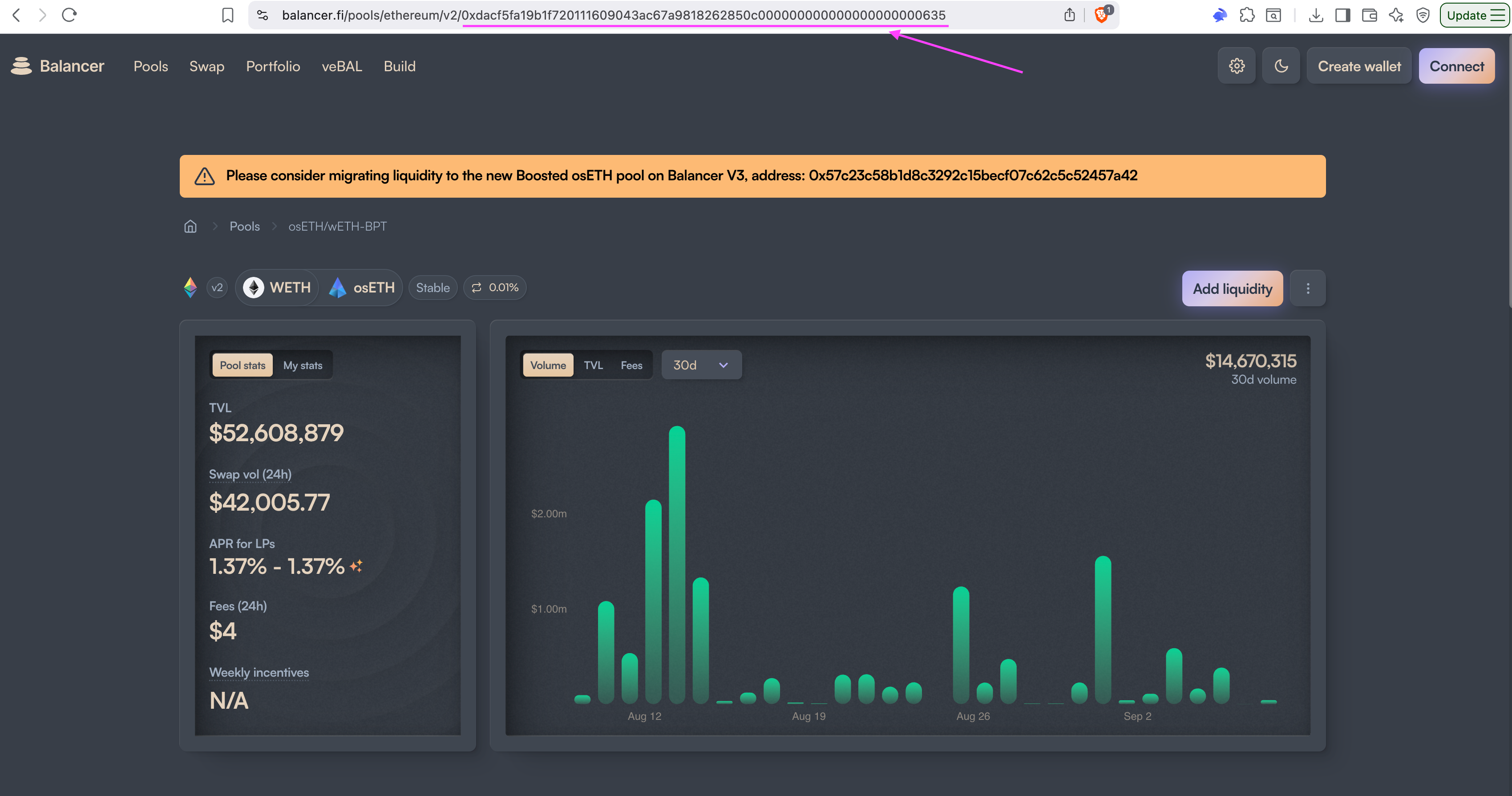
&#xNAN;e.g. to add WETH/osETH pool to adapter both WETH, osETH and WETH/osETH token itself must be added before.
&#xNAN;learn how to find pool's token address below.
- Finding Pool LP Token Address:
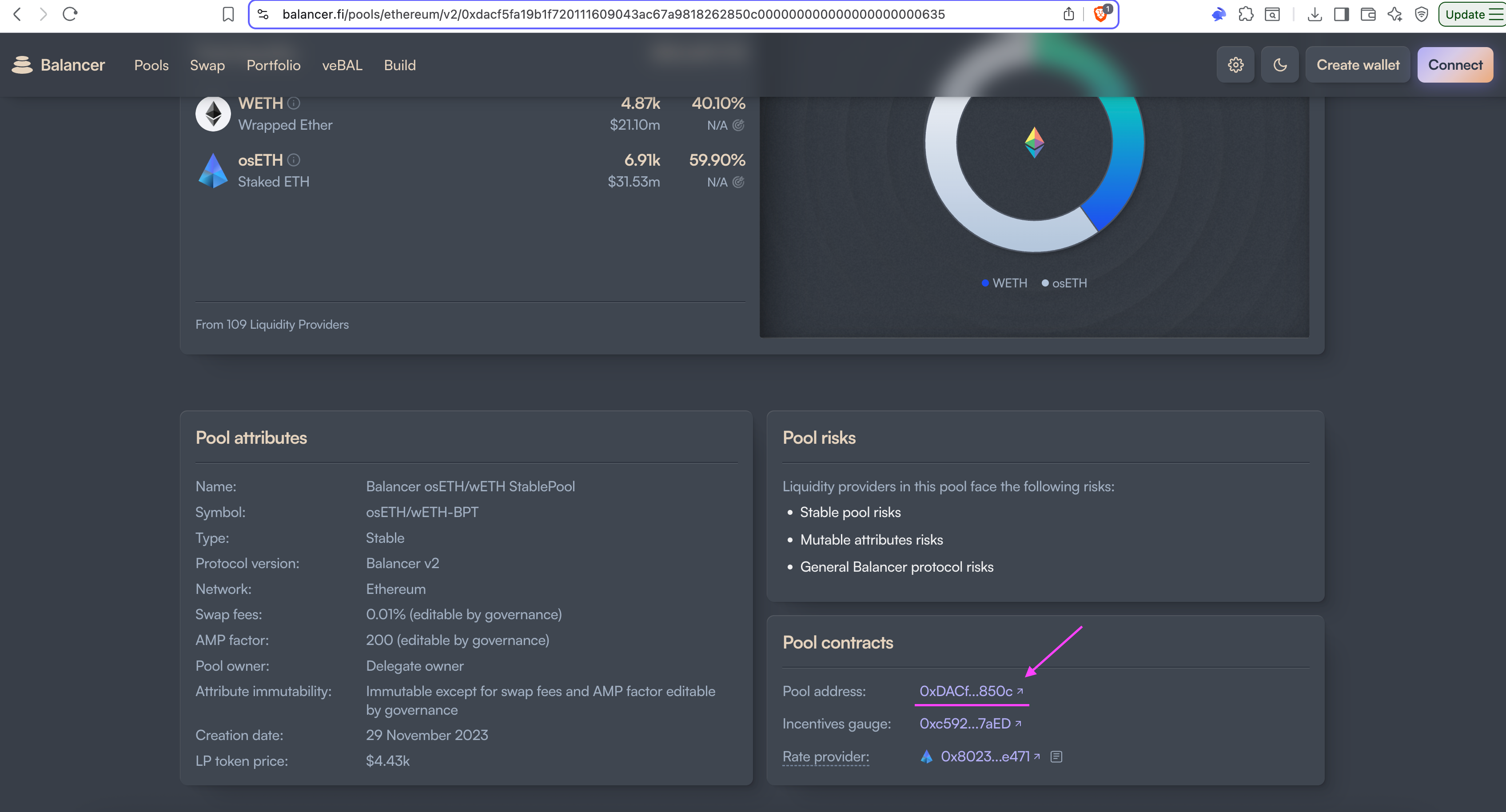
- Configure adapter to whitelist pools:
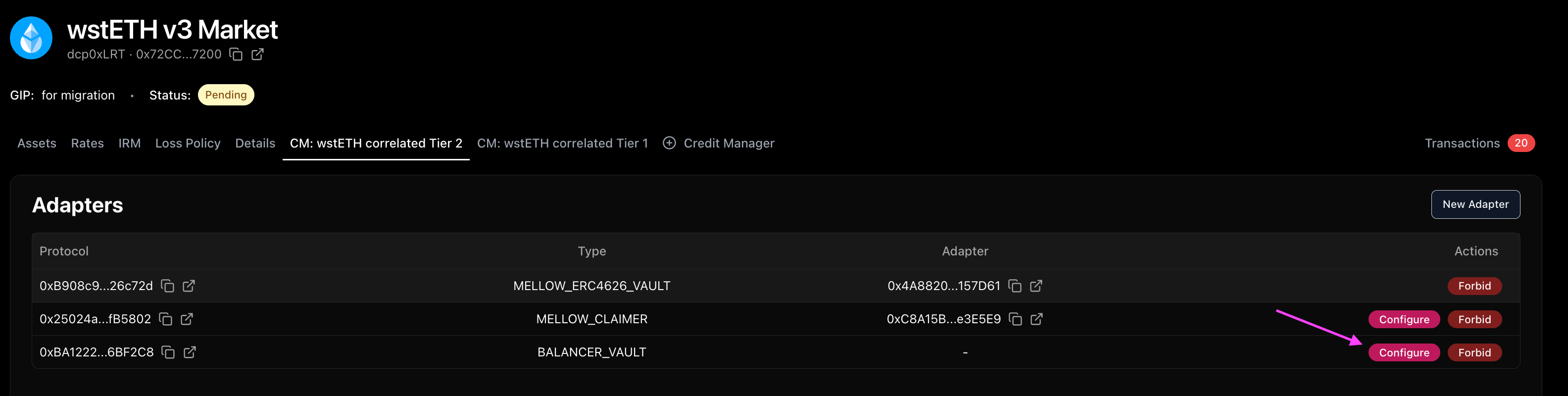
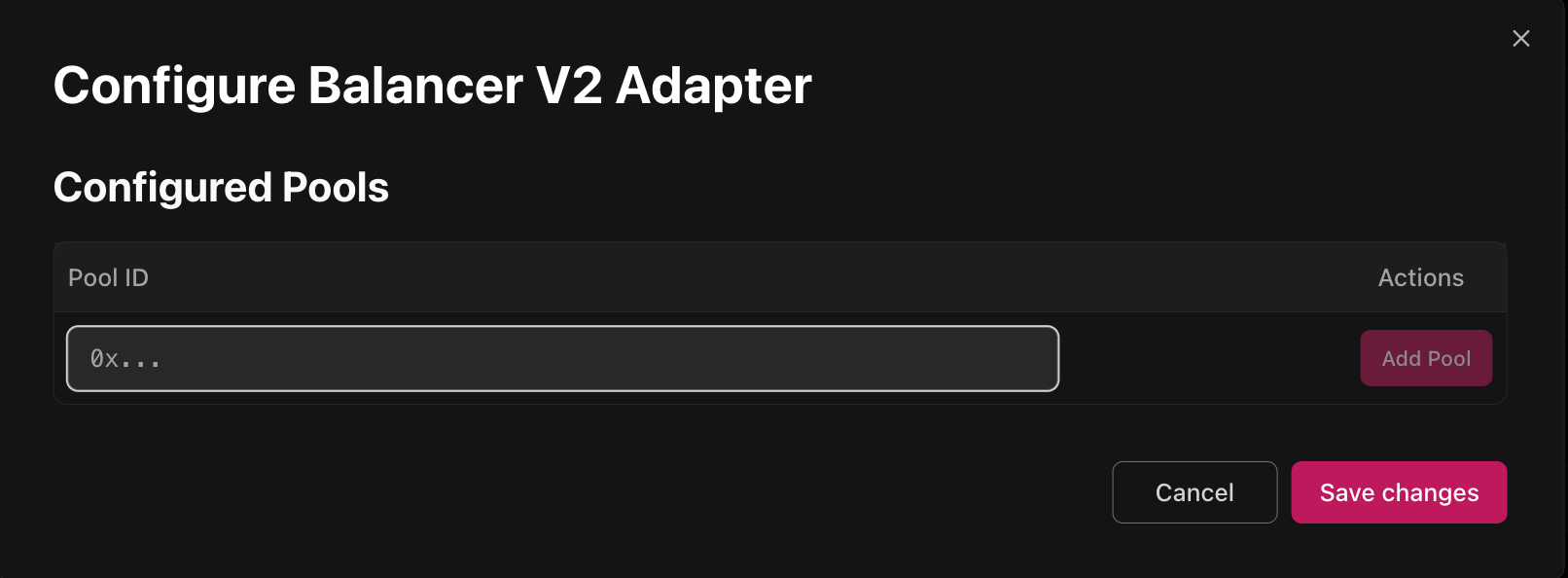
-
Configuration requires specifying PoolID which can be found on Balancer UI
Balancer V3
Balancer V3 router configuration
For the router on the chain to support swaps, Balancer V3 worker should be configured.
Configuration requires passing:
- BalancerV3MultiActionQueries (needs to be deployed manually, reach out to contributors for support)
Balancer deployment addresses can be found here.
BalancerV3MultiActionQueries deployments:
- Plasma
- 0x1a9B1bfD35fA3932493b5f4F20Cb16b2B88Cc0C8
- Mainnet
- 0x0BA8417d19D87b7b5C9dA8762ba505d61D1bF1E7
- Optimism
- 0x1b8a4BA520C7789D7bE7476960B8Cdd42e57d928
- Monad
- 0x79840073664F6c7bD384C3452B2C034cDEEFEAe5
Balancer V3 adapter configuration
- Add BalancerV3 adapter (requires providing Gateway address):
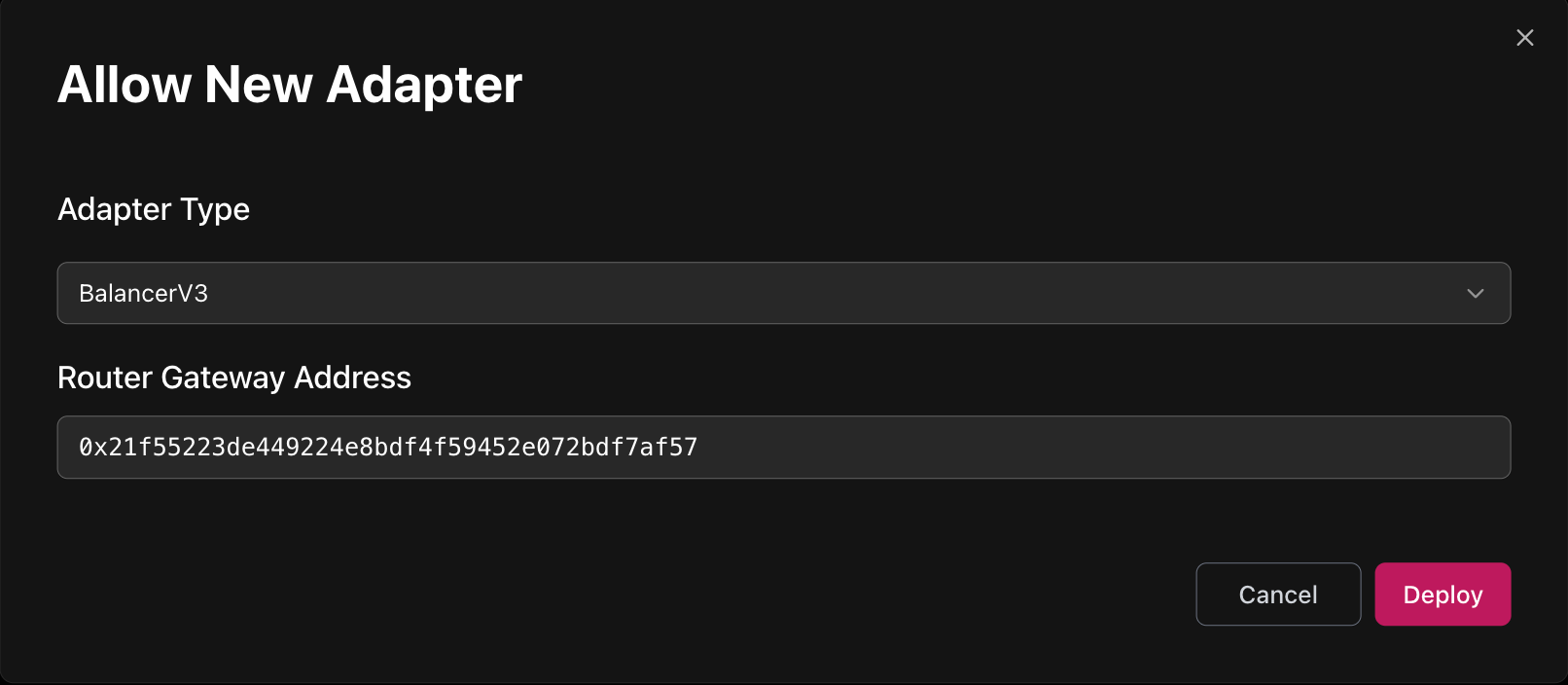
- Gateway deployment addresses:
- Ethereum:
- v3.10 (outdated) 0x21f55223de449224e8bdf4f59452e072bdf7af57
- v3.11 — 0x8A57c21234ddc225499843F6A073dd374c952560
- Plasma:
- v3.10 (outdated) 0xd5c89297ad23e12d7f0ff24112418dbe9ebeae56
- v3.11 — 0x55109bA88c396008cfBe9F27Ad97A7e1e4394f6F
- Optimism:
- v3.11 — 0x77b2dfc344072fa242f2d03893ccbdbb0ef47b7c
- Monad
- v3.11 — 0x9dA18982a33FD0c7051B19F0d7C76F2d5E7e017c
- Ethereum:
Before adding adapter, please ensure that tokens from a pool are added as Assets to Market and as Collaterals to Credit Manager.
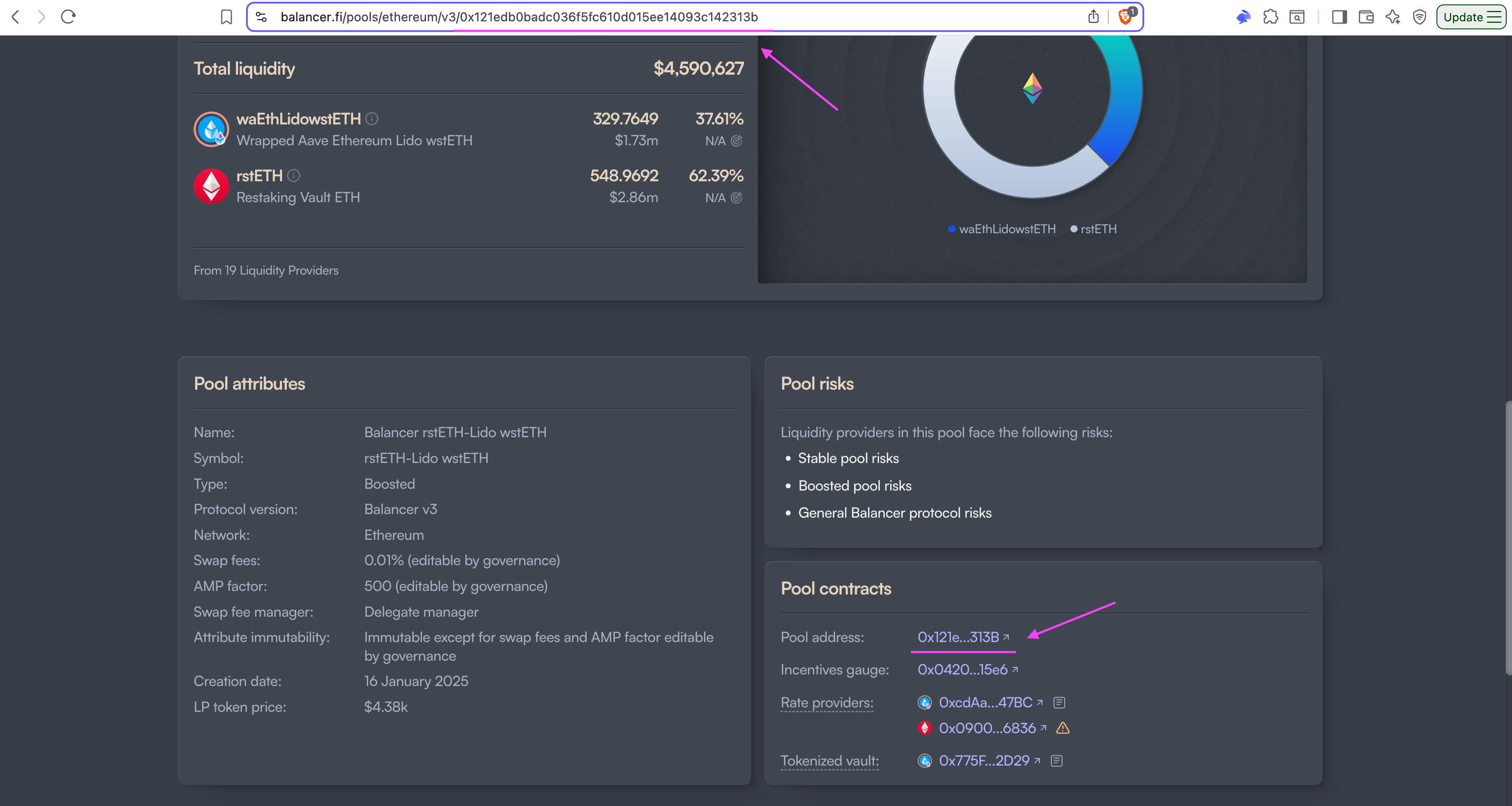
&#xNAN;e.g. to add waEthLidowstETH/rstETH pool to adapter both waEthLidowstETH, rstETH and waEthLidowstETH/rstETH token itself must be added before.
&#xNAN;learn how to find pool's token address below.
What are wa-tokens?
It's erc4626 vaults representing positions staked in Aave pools.
To support swaps from wstETH through waEthLidowstETH/rstETH boosted Balancer pool, you need to include wa-token as collateral and add erc4626 adapter with wa-token address as vault which will process swaps from wstETH to waEthLidowstETH.
- Finding Pool LP Token Address:
- Configure adapter to whitelist pools:
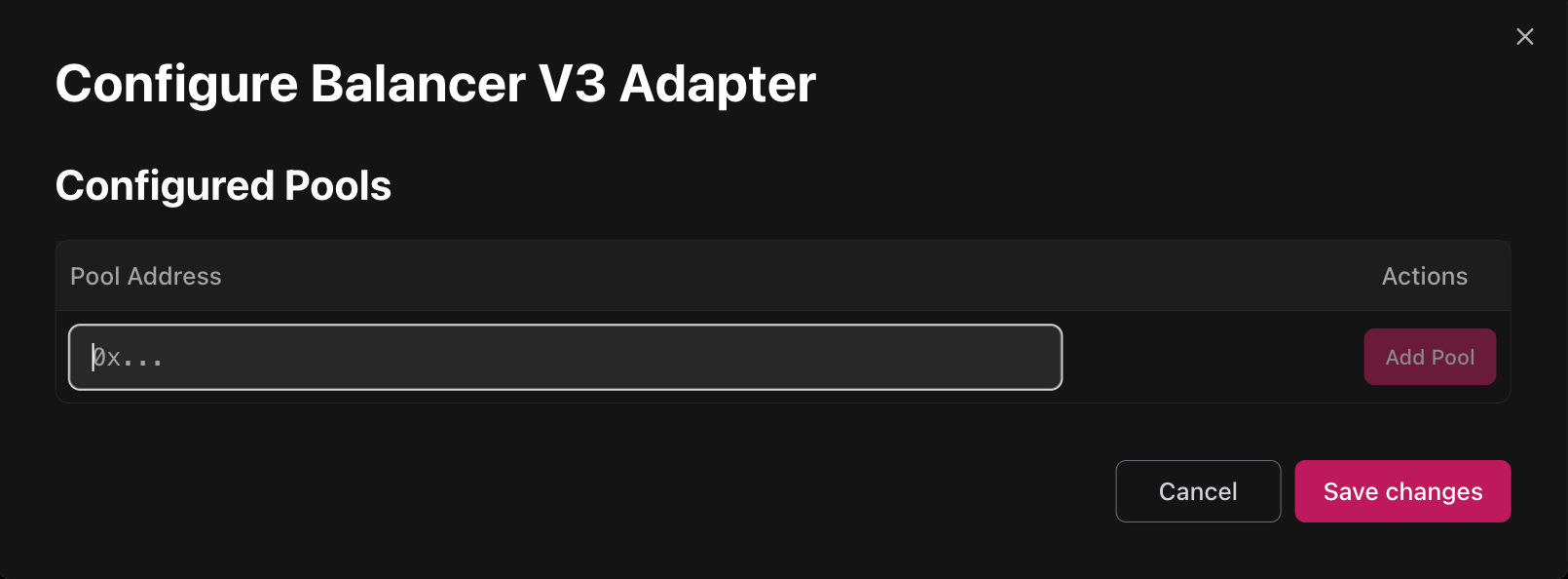
- Configuration requires specifying Pool Address which can be found on Balancer UI
Mellow ERC4626
Mellow ERC4626 router configuration
For the router on the chain to support swaps, Mellow worker should be configured. Reach out to contributors for support.
Before adding adapter, please ensure that mellow vault (LRT itself) and its Withdrawal Phantom Token are added Assets to Market and as Collaterals to Credit Manager.
If the phantom token is not present in PFS, ask Gearbox contributors to help you deploy a new one.
Add Mellow ERC4626 adapter:
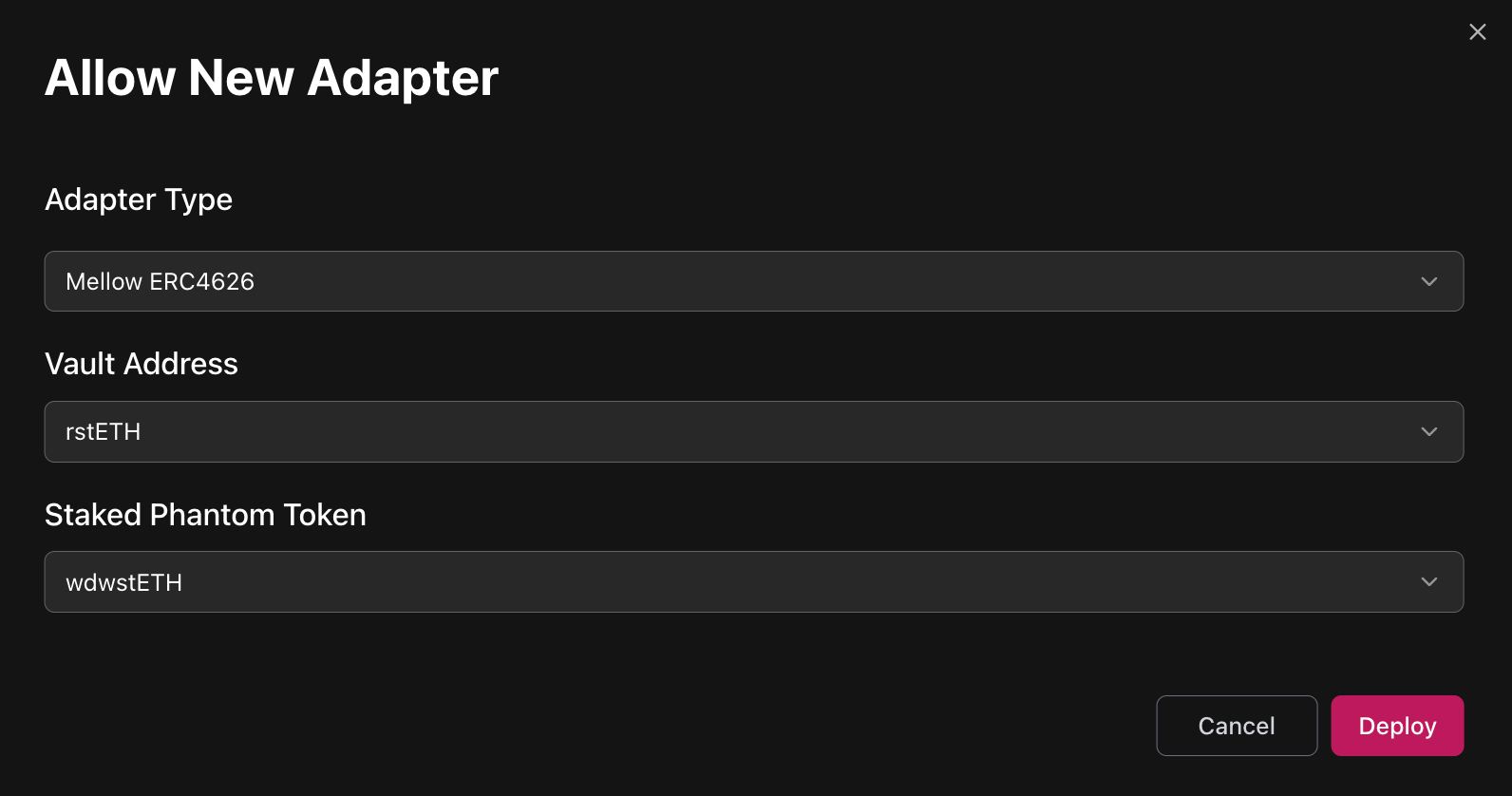
- Vault address
- Select a corresponding Mellow vault (LRT itself) that was previously added as collateral.
- Phantom Token
- A token that tracks user's position in withdrawal queue and allows unstaking LRT right from the Credit Account.
Add Mellow claimer adapter:
This adapter allows claiming unstaked tokens after the redemption request was processed.
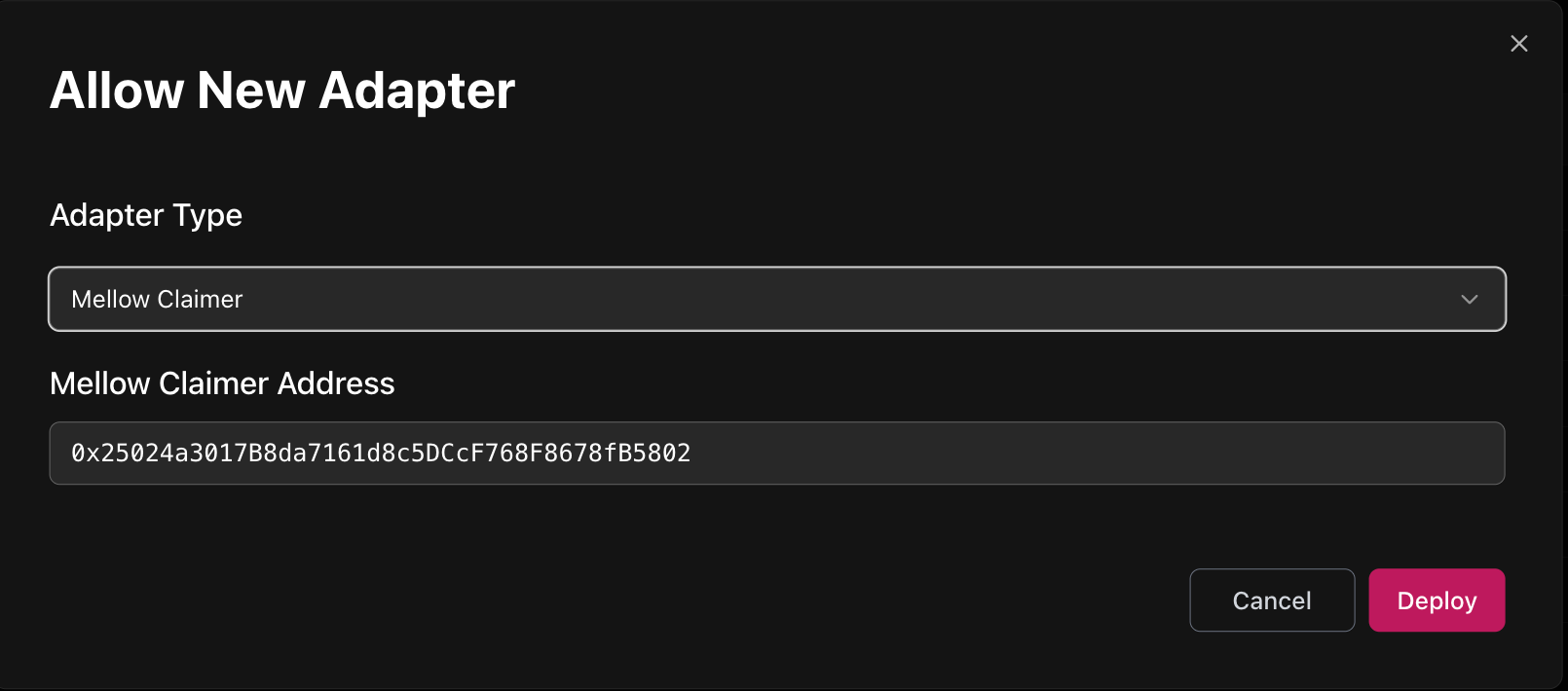
Mellow Claimer is a contract deployed by Mellow. Deployment addresses can be found here: https://docs.mellow.finance/multi-deployments#navigation
Configure Mellow Claimer Adapter
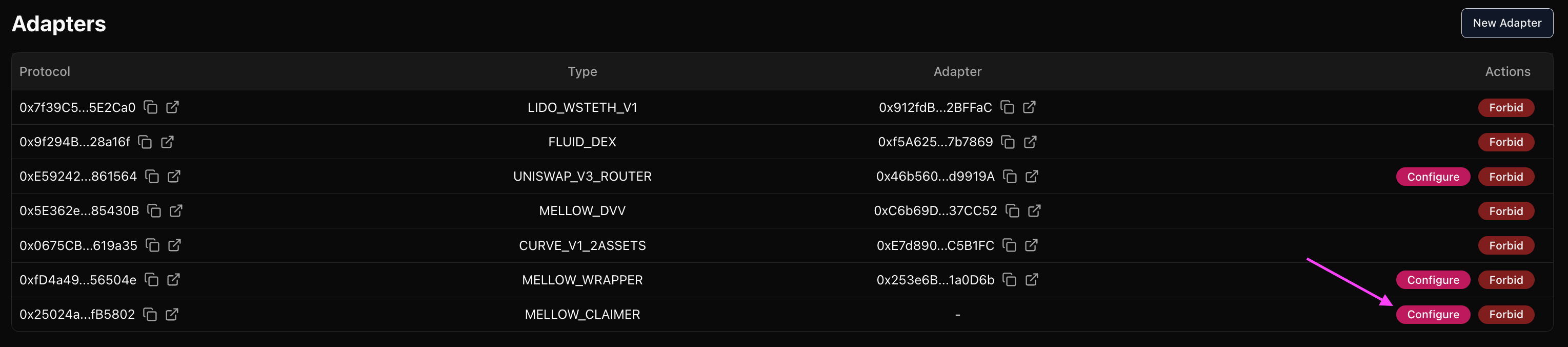
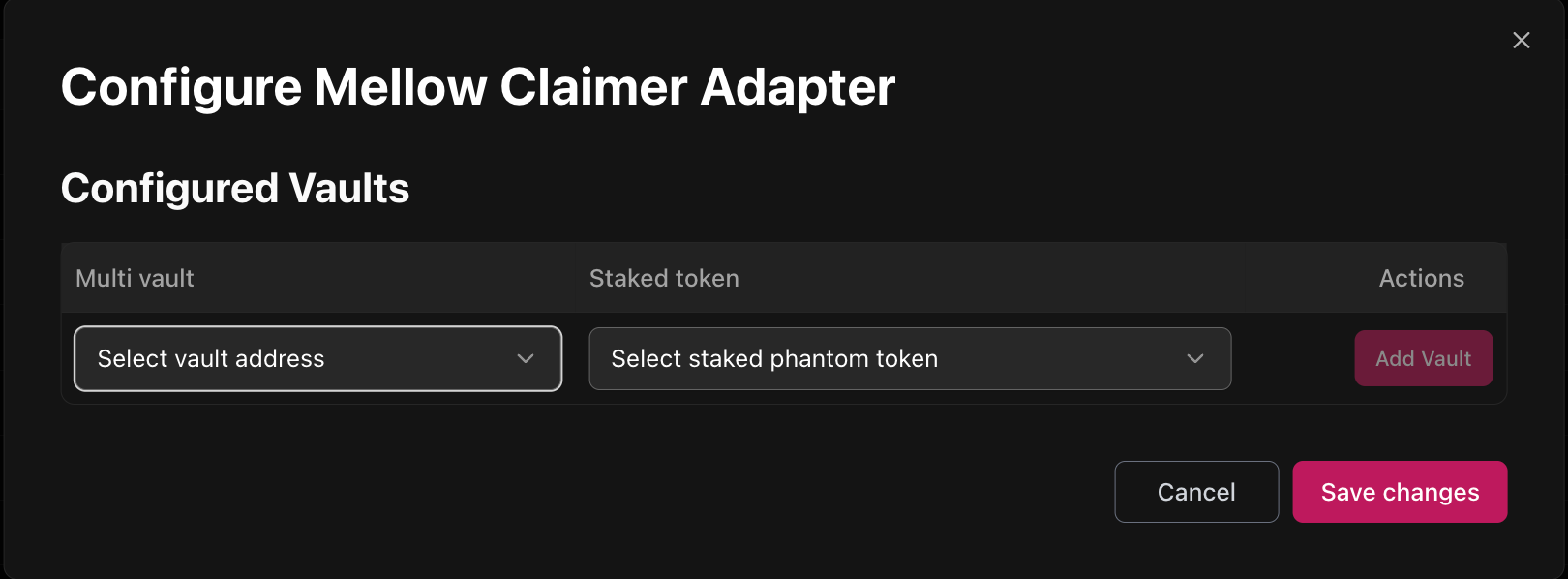
- Multi vault
- Mellow LRT itself
- Phantom token
- A token that tracks user's position in withdrawal queue and allows unstaking LRT right from the Credit Account.
Midas (direct deposits & redemptions)
Midas risks:
- If Midas rejects a withdrawal request, a credit account that has the request rejected will have its phantom token balance locked and non-claimable. This means that de-facto the account has bad debt (that cannot be liquidated) until the situation is resolved manually
- A gateway has a function to manually process a cancelled request by paying an amount of at least pendingTokenOutAmount for the respective credit account (the function can be called by anyone). This will allow the credit account to claim a withdrawal as if it was normally processed
- It's best to forbid the withdrawal phantom token if there is a rejected request to Gearbox CA, since Midas might accidentally refund the withdrawal to the CA itself, leading to double counting. Forbidding the token will prevent the user to borrow and withdraw more against their collateral in this case.
For safety, each curator on each chain must have its own gateway and phantom token for each vault.
Gateway addresses:
- Plasma
- Hyperithm Curator: 0xB375DF6a1D7a1c172e65D4FBDA2d3caa144Bf8e7
Phantom token addresses:
- Plasma
- Hyperithm Curator: 0x0835e60e9A56734cEE76e3953c3BE0635Fcb71d5
Velodrome, Aerodrome V1 & V2 (Basic volatile and Basic stable)
For the router on the chain to support swaps, Velodrome worker should be configured.
It requires passing the following addresses:
- Router
- Add Velodrome V2 adapter (requires providing Router address):
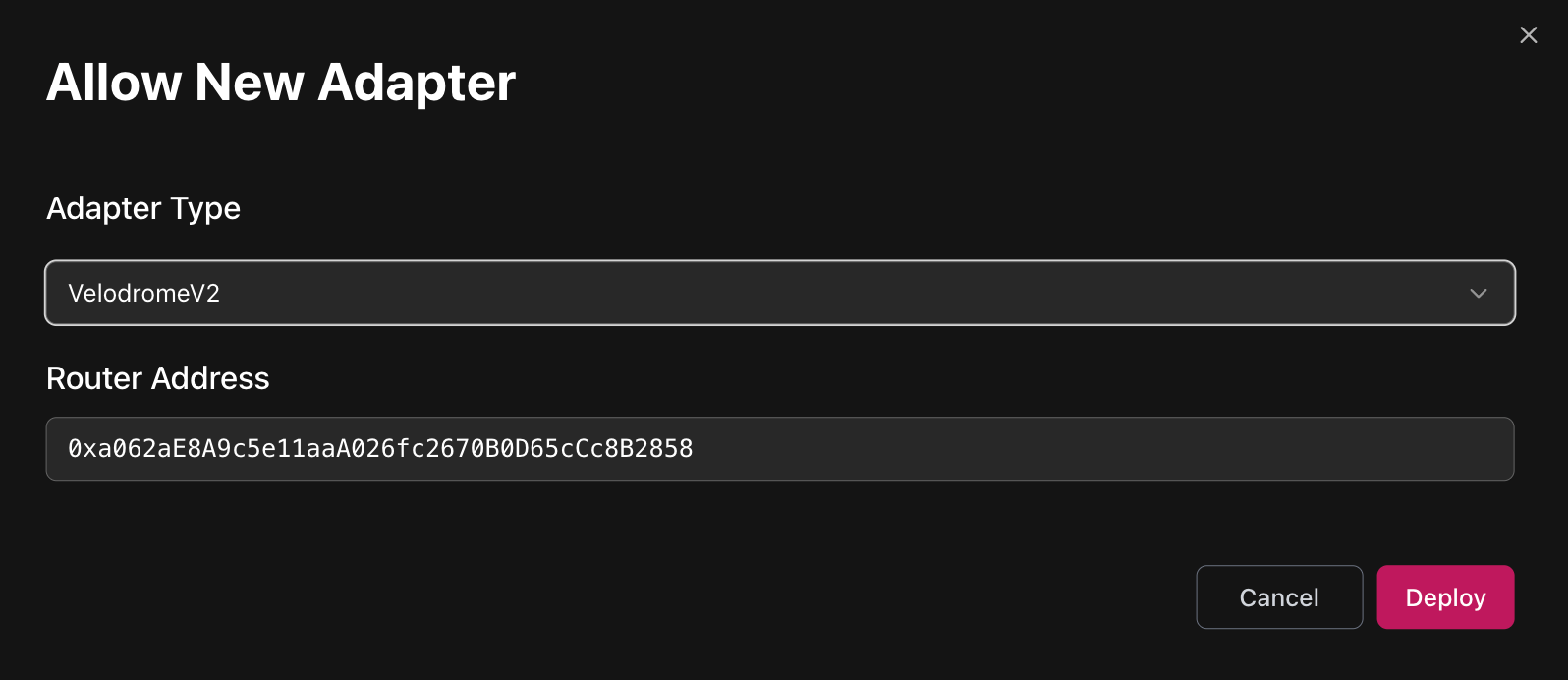
-
Velodrome v2 optimism deployment addresses: https://github.com/velodrome-finance/contracts/tree/main/deployment-addresses
-
Configure adapter to whitelist pools:
&#xNAN;Configuration requires specifying tokens and fee from a pair
&#xNAN;Look for Pool Factory in deployment addresses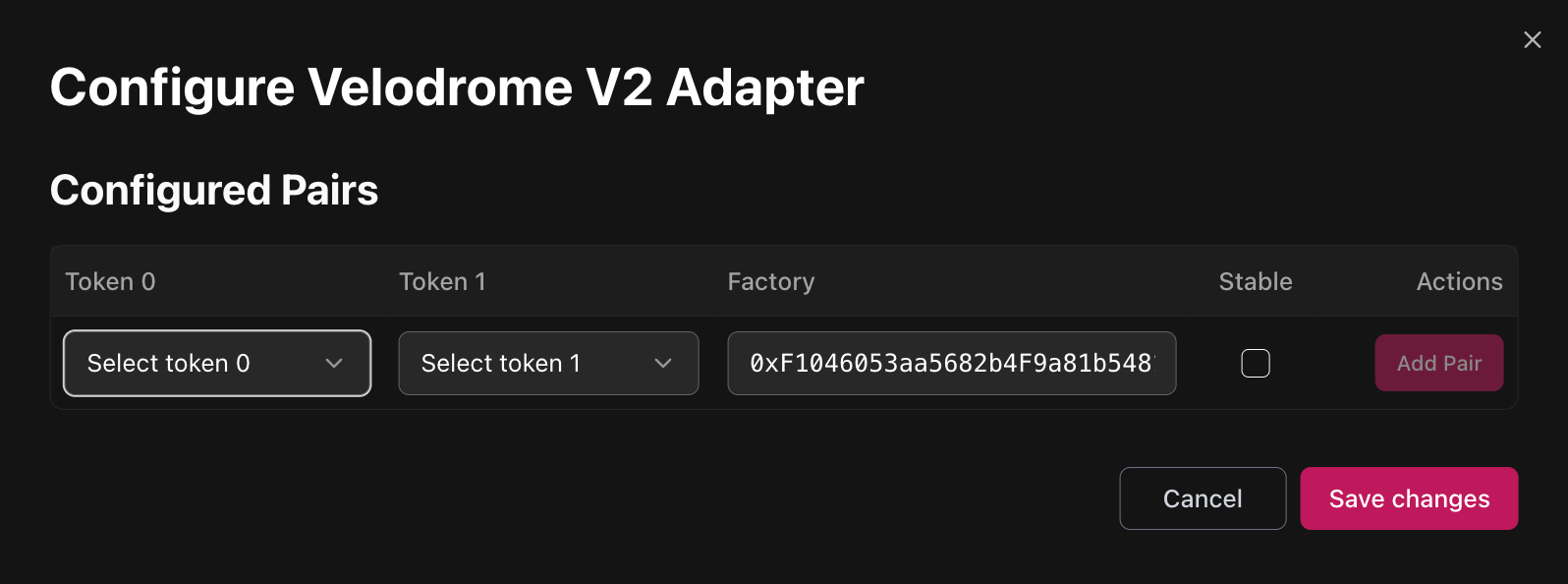
-
Is Stable?
Basic stable ⇒ Stable
Basic volatile ⇒ not Stable
Uniswap V4
Uniswap V4 router configuration
For the router on the chain to support swaps, Uniswap V3 worker should be configured.
It requires passing the following addresses:
-
Add UniswapV4 adapter (requires providing Gateway address):
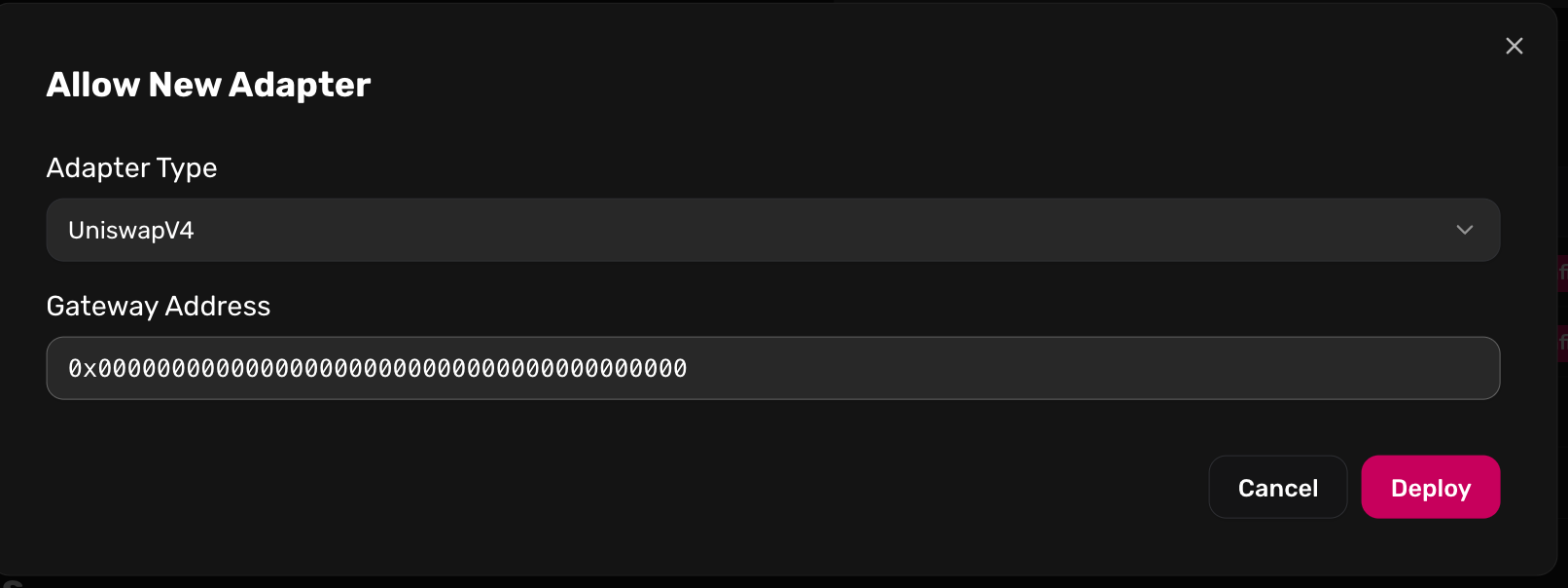
- Uni V4 deployment addresses: https://docs.uniswap.org/contracts/v4/deployments
- Gateway deployment addresses:
- Monad: 0xCC7944C237DC540585935F19Bc9aeA0003BC4224
- Ethereum: 0x3b74c70283b291e875da84d58176a63dac5d1824
Before allowing pools in adapter, please ensure that tokens from a pair are added as Assets to Market and as Collaterals to Credit Manager.
&#xNAN;e.g. to add WETH/USDC pool both WETH and USDC must be added before.
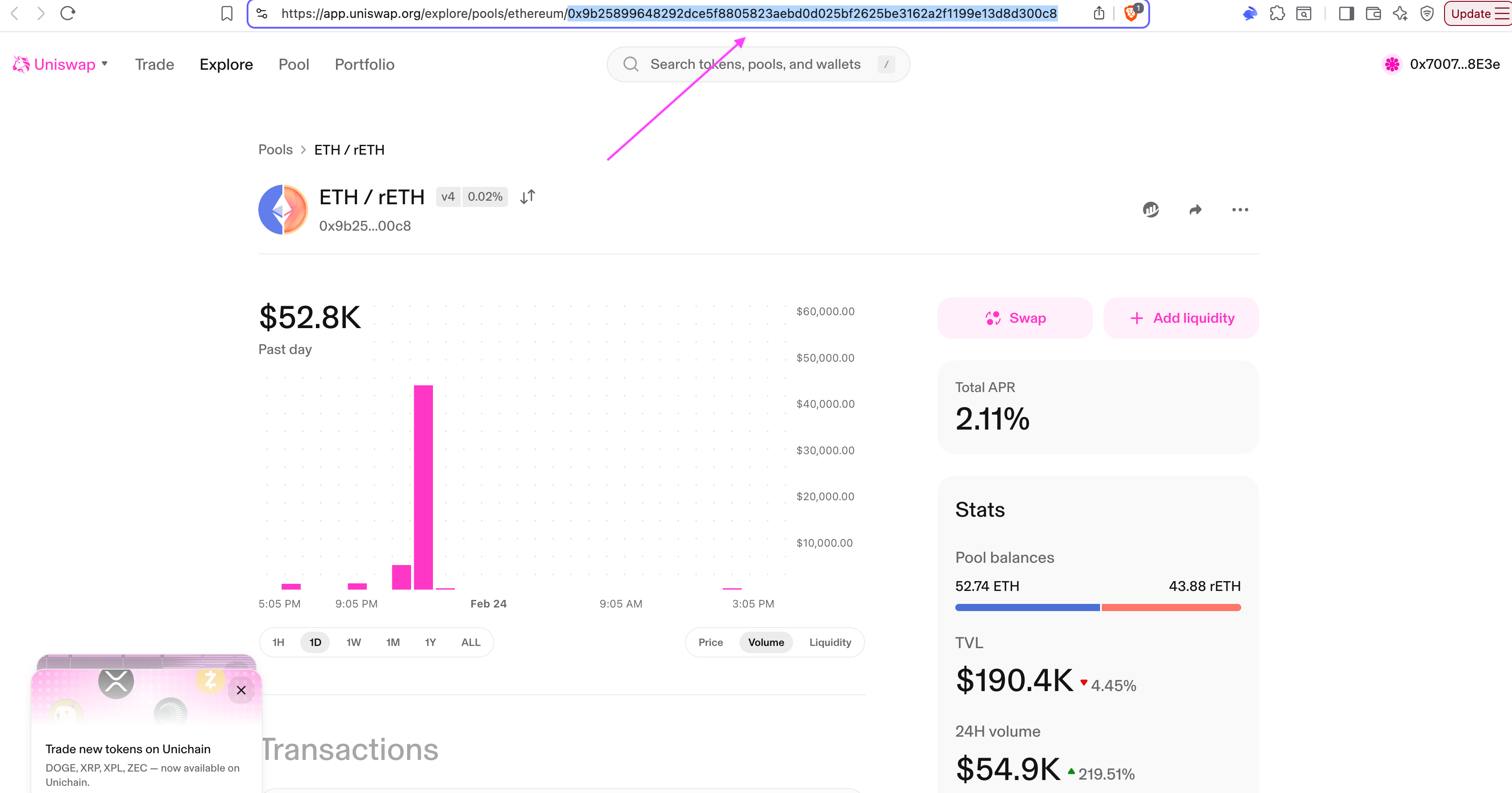
To fetch fee, tick spacing and hook list, go to Position Manager contract and call poolKeys method passing first 52 symbols of pool identifier from Uniswap UI as PoolID.
E.g. if uniswap link has 0x9b25899648292dce5f8805823aebd0d025bf2625be3162a2f1199e13d8d300c8, then 0x9b25899648292dce5f8805823aebd0d025bf2625be3162a2f1 should be passed as poolID to Position Manager.
Position Manager addresses on different chains can be found here.
- Configure adapter to whitelist
&#xNAN;Configuration requires specifying tokens and fee from a pair